WhatsApp alertsPro
Get a WhatsApp message for every new entry, through WhatsApp Business.
Requires Neural Forms Pro (with Lite installed and active).
On this page
Neural Forms sends approved WhatsApp template messages to your team through the WhatsApp Business Cloud API (Meta).
Before you start#
- A Meta Business account with WhatsApp Business set up.
- A permanent System User access token with the
whatsapp_business_messagingandwhatsapp_business_managementpermissions. Temporary tokens from API Setup expire quickly. - An approved message template (see below).
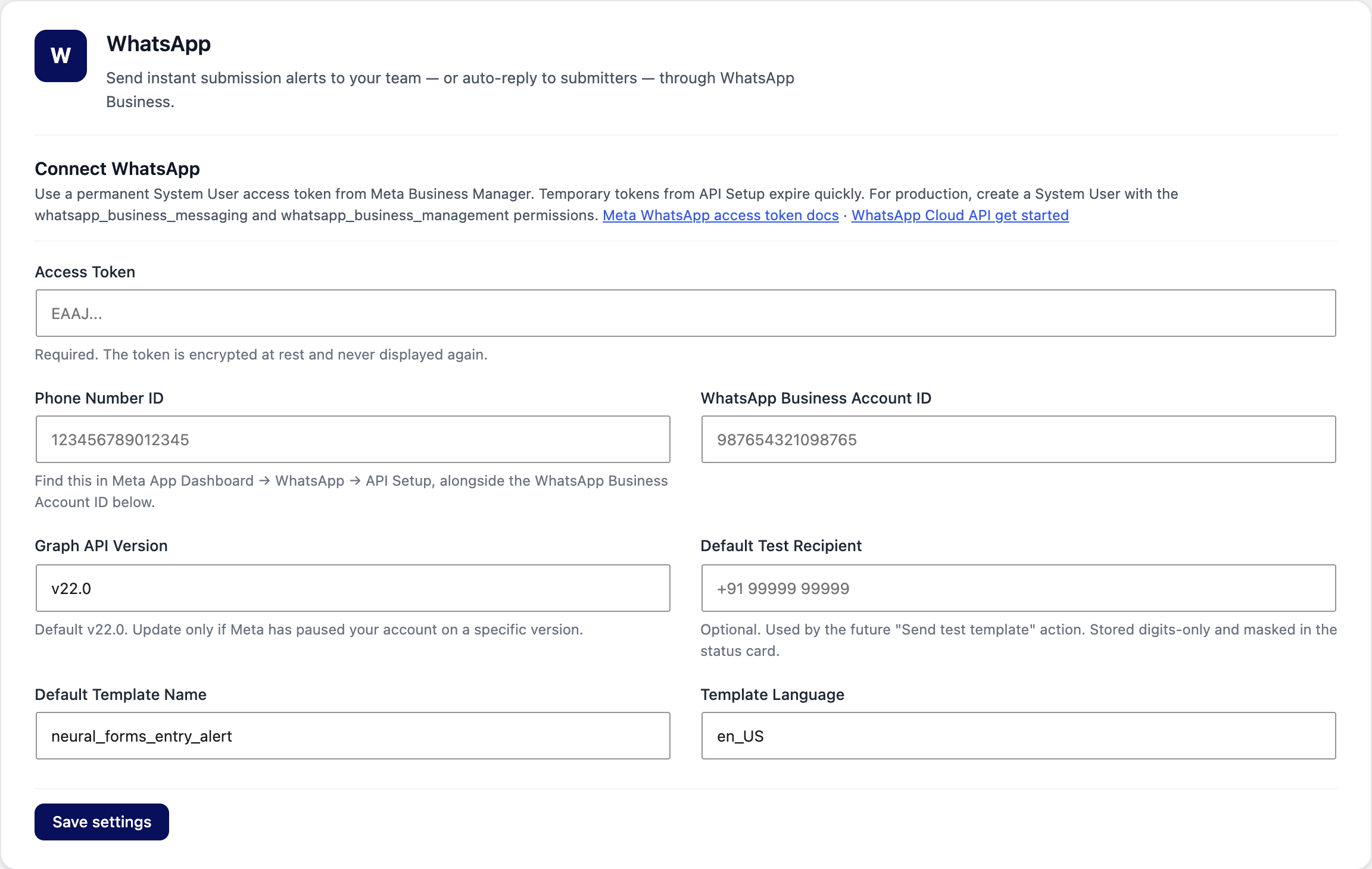
1. Connect WhatsApp#
- Go to Neural Forms → Integrations → WhatsApp.
- Paste the Access Token.
- Enter the Phone Number ID and WhatsApp Business Account ID from Meta App Dashboard → WhatsApp → API Setup.
- Leave Graph API Version on the default (v22.0) unless Meta asks you to change it.
- Set the Default Template Name and Template Language, then click Save settings.
2. Create the template in Meta#
In Meta Business Manager, create a template named neural_forms_entry_alert in the Utility category. Its variables, in order, are: form name, submitter, priority, entry link. Wait for Meta to approve it.
3. Turn it on for a form#
- Open the form, click Settings → Integrations → WhatsApp.
- Turn on Send WhatsApp notifications when this form is submitted.
- Add Recipients: one WhatsApp number per line, with country code (up to 10).
- Pick the approved Template (click Refresh templates if it is missing) and its language. Save the form.