
Import from Google FormsPro
Bring existing Google Forms into Neural Forms.
Requires Neural Forms Pro (with Lite installed and active).
1. Create Google OAuth credentials#
- Go to Neural Forms → Integrations → Google Forms and click Copy next to Authorised redirect URI.
- In Google Cloud Console, open APIs & Services → Credentials and create an OAuth 2.0 Client ID (Web application).
- Paste the redirect URI exactly as copied.
- Copy the Client ID and Client Secret into Neural Forms and click Save credentials.
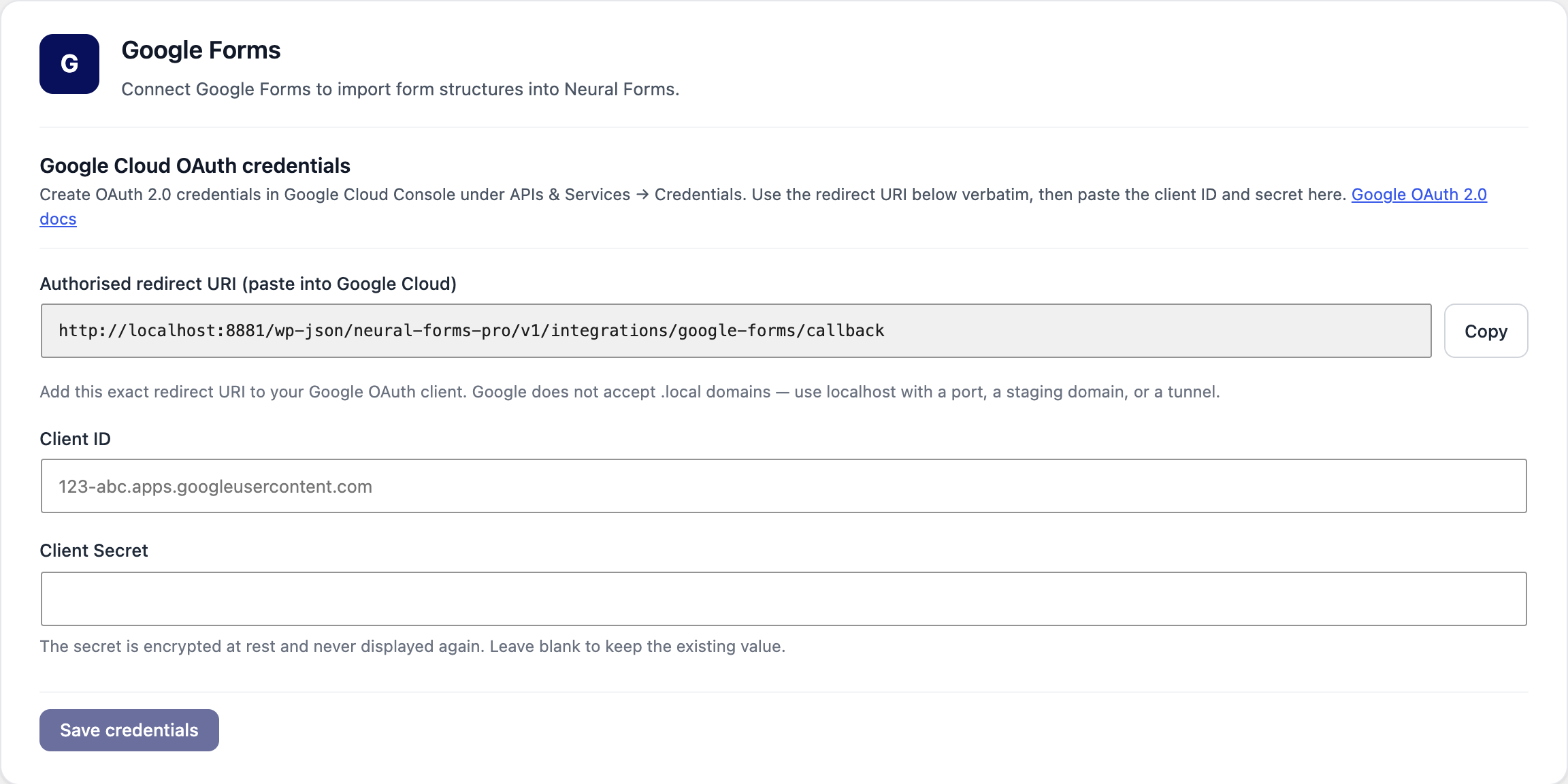
Google does not accept .local domains as redirect URIs. For a local site, use localhost with a port, a staging domain or a tunnel.
2. Connect your Google account#
Click Connect Google Account and allow Neural Forms to read your Google Forms.
3. Import a form#
- Your Google Forms are listed under Your Google Forms (click Refresh if one is missing).
- Click Preview & Import, check the fields, and import.
- The imported form opens in the Neural Forms builder. Review it, then save and embed it like any other form.
Imported forms stay linked to the original Google Form (shown in the form’s Settings → Integrations → Google Forms). The import is one-time: later changes in Google Forms are not copied automatically, and existing Google Forms responses are not imported.