AI lead scoring
Score and sort every form lead with AI
Neural Forms AI reads each new entry and adds a summary, a category, a priority and a lead score from 0 to 100, so you can see which leads need a call before you open them.
Automatic scoring on Starter ($99/yr) and Agency ($199/yr). Lite: analyze one entry at a time by hand.
On every entry
What every entry gets
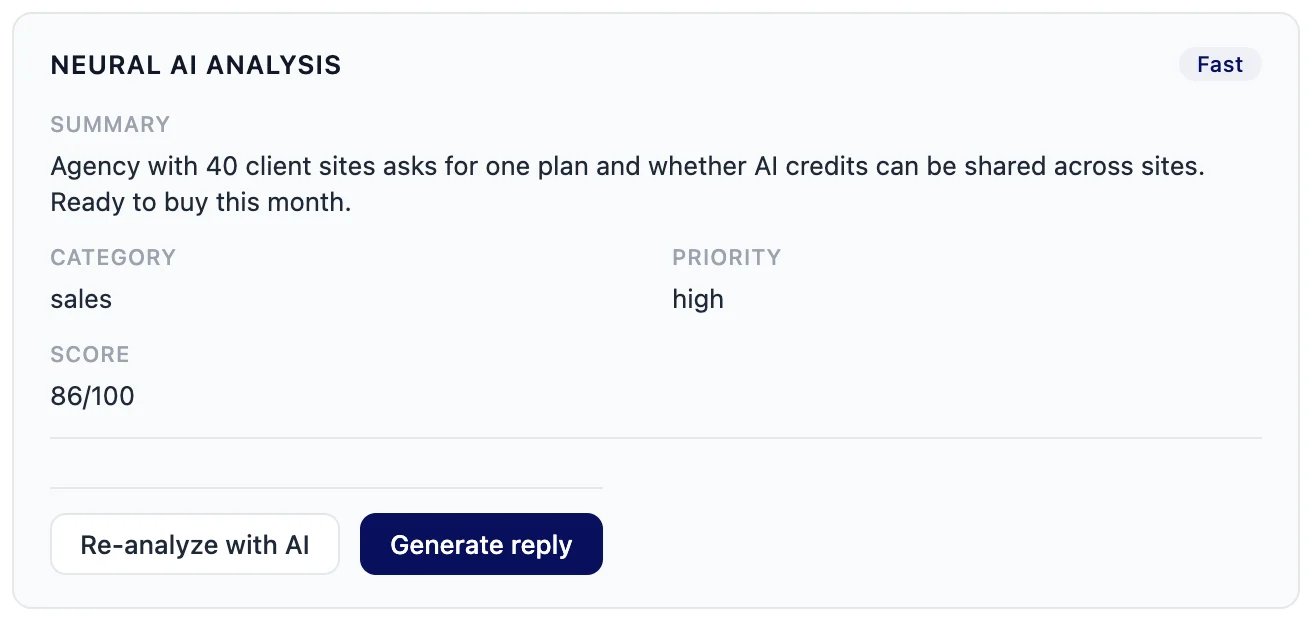
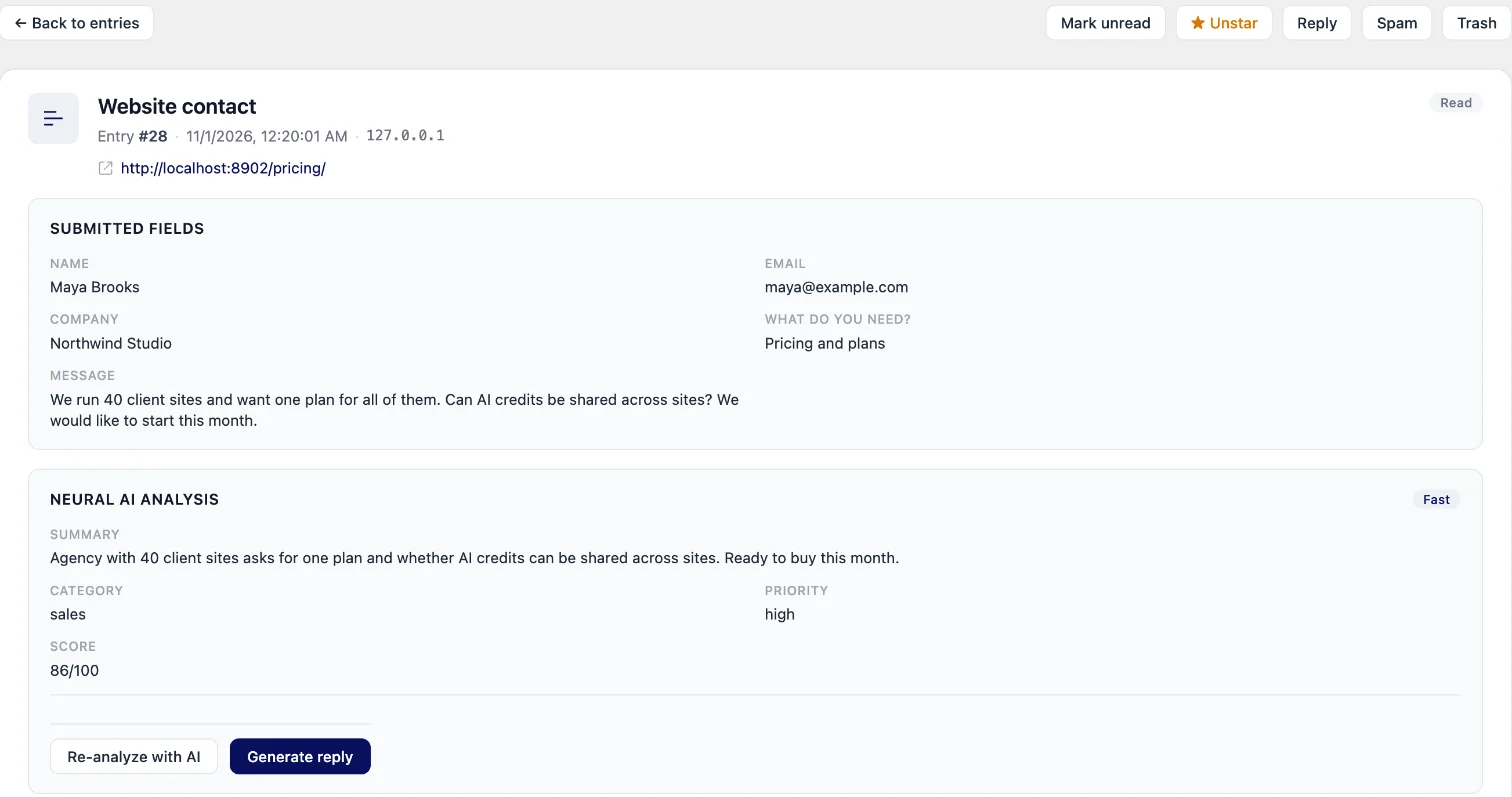
Five results from one analysis, shown in the AI analysis card of the entry.
Summary
A short read of what the person wants, at the top of the entry, so you know the request before you read the whole message.
Category
One of sales, support, partnership, hiring, spam, general or other, so a job application never sits in the same pile as a quote request.
Priority
Low, medium or high. Entries marked high collect in their own High priority view in the inbox.
Lead score
A lead score from 0 to 100 set by the AI, shown on the entry as a score out of 100 next to the category and priority.
Spam flag
A Likely spam label with a confidence from 0 to 100 and the reason the AI gave, so you can check its call in one glance.
How it runs
Analyzed in the background, read when you open the inbox
New entries are analyzed automatically in the Neural Forms cloud. Read more about how Neural Forms AI works.
- The entry is saved first, then queued for analysis, so the visitor never waits on the AI
- The analysis takes 2 to 5 seconds in the Neural Forms cloud
- It needs a connected Neural Forms API key; nothing is sent without one
- Re-analyze with AI asks for a fresh read of any entry
- Earlier analyses stay on the entry, so you can page back to a previous read
Per form
Choose which forms get scored
Each form has its own AI processing setting, so your quote form can be scored on every entry while a newsletter signup is left out.
Process every entry
Each new submission is analyzed automatically. The plugin recommends this for lead and contact forms.
Manual only
Nothing runs on its own. Run the AI on an entry from the inbox when you want a read.
Do not process this form
No automatic AI processing for this form, for example a newsletter signup.
Use global setting
The form follows your global Neural Forms AI settings.
Inbox views
Work the list from the top
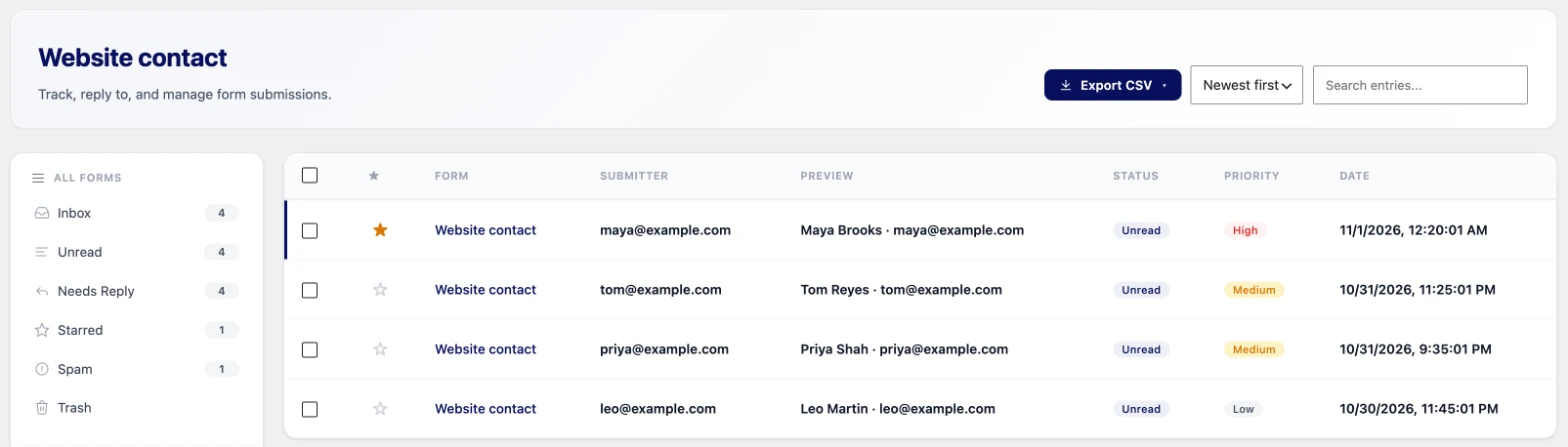
The analysis feeds the views of the lead inbox, so the leads worth a call are one click away.
- High priority: entries the AI marked high, leaving out spam and trash
- Spam suspected: entries the AI flagged as likely spam that are still in your inbox
- Needs reply: entries flagged as waiting for your answer
- CSV export with AI category, priority, spam flag and spam confidence columns, filtered by form, view, search or date range
Next step
Act on high-priority leads fast
The priority does more than sort the inbox. It can start the next step for your team.
- WhatsApp alerts to up to 10 team numbers when an entry is high priority, needs a reply or looks like spam. These alerts wait for the AI result before they send.
- Send each entry to a HubSpot form with your own field mapping, so sales can follow up from the CRM.
- Answer from the entry itself, starting from an AI reply draft that you edit and send.
Plans
Lite vs Starter and Agency
The free Lite plugin shows you what the analysis looks like. The paid plans run it on every entry.
| Lite (free) | Starter and Agency | |
|---|---|---|
| Summary, category, priority, lead score | Yes, when you analyze an entry by hand | Yes, on every new entry |
| How analysis starts | By hand, once per entry | Automatically, set per form |
| Re-analyze an entry | No | Yes |
| AI spam detection (flag, or move to Spam above a threshold) | No | Yes |
| AI credits | 100 lifetime credits | 7,500 a year (Starter) or 25,000 a year (Agency) |
| Price | Free | Starter $99/year, Agency $199/year, unlimited sites |
Credits and privacy
Credits and your data
Scoring runs on AI credits from your plan. Your entries stay private.
- 1 credit = 1,000 tokens of AI processing
- Credits are used only when the AI call succeeds
- Top-ups on paid plans: $19 for 2,000 credits or $49 for 10,000, and top-up credits never expire
- TLS 1.3 in transit, with servers at Hetzner in Ashburn
- Logs kept for 90 days, with 100-character previews
- Your form data is never used to train AI models
FAQs
Frequently asked questions about AI lead scoring
What is lead scoring on a form?
Lead scoring gives each enquiry a number that shows how promising it looks, so you answer the best leads first. In Neural Forms, each entry gets a lead score from 0 to 100 set by the AI, next to a summary, a category and a priority.
How does Neural Forms decide a lead score?
The score is set by Neural Forms AI when it reads the entry, as a number from 0 to 100. Read it together with the summary, category and priority, and use Re-analyze with AI when you want a fresh read of an entry.
Does AI scoring slow down the form for the visitor?
No. The entry is saved first and then queued for analysis, so the visitor gets your confirmation without waiting for the AI. The analysis itself takes 2 to 5 seconds in the Neural Forms cloud.
Can I turn AI scoring off for some forms?
Yes. In each form’s settings, set AI processing to Do not process this form or Manual only. Other forms can keep Process every entry.
Does lead scoring work on the free plan?
Lite can analyze each entry once, by hand, with a free Neural Forms Cloud account and 100 lifetime AI credits. Automatic scoring of every new entry and Re-analyze need Starter ($99/year) or Agency ($199/year).
How many AI credits does scoring use?
Credits are counted in tokens: 1 credit equals 1,000 tokens, and credits are used only when the AI call succeeds. The plugin shows your balance. Starter includes 7,500 credits a year and Agency 25,000, with top-ups if you need more.
Is my form data used to train AI models?
No. Data sent to the Neural Forms cloud is never used for training. It travels over TLS 1.3, and logs are kept for 90 days with 100-character previews.
Neural Forms
Know which lead to call first
Starter ($99/year) and Agency ($199/year) analyze every new entry automatically and include 7,500 or 25,000 AI credits a year. Both plans cover unlimited sites.
30-day money-back guarantee on paid plans