
reCAPTCHA & Turnstile
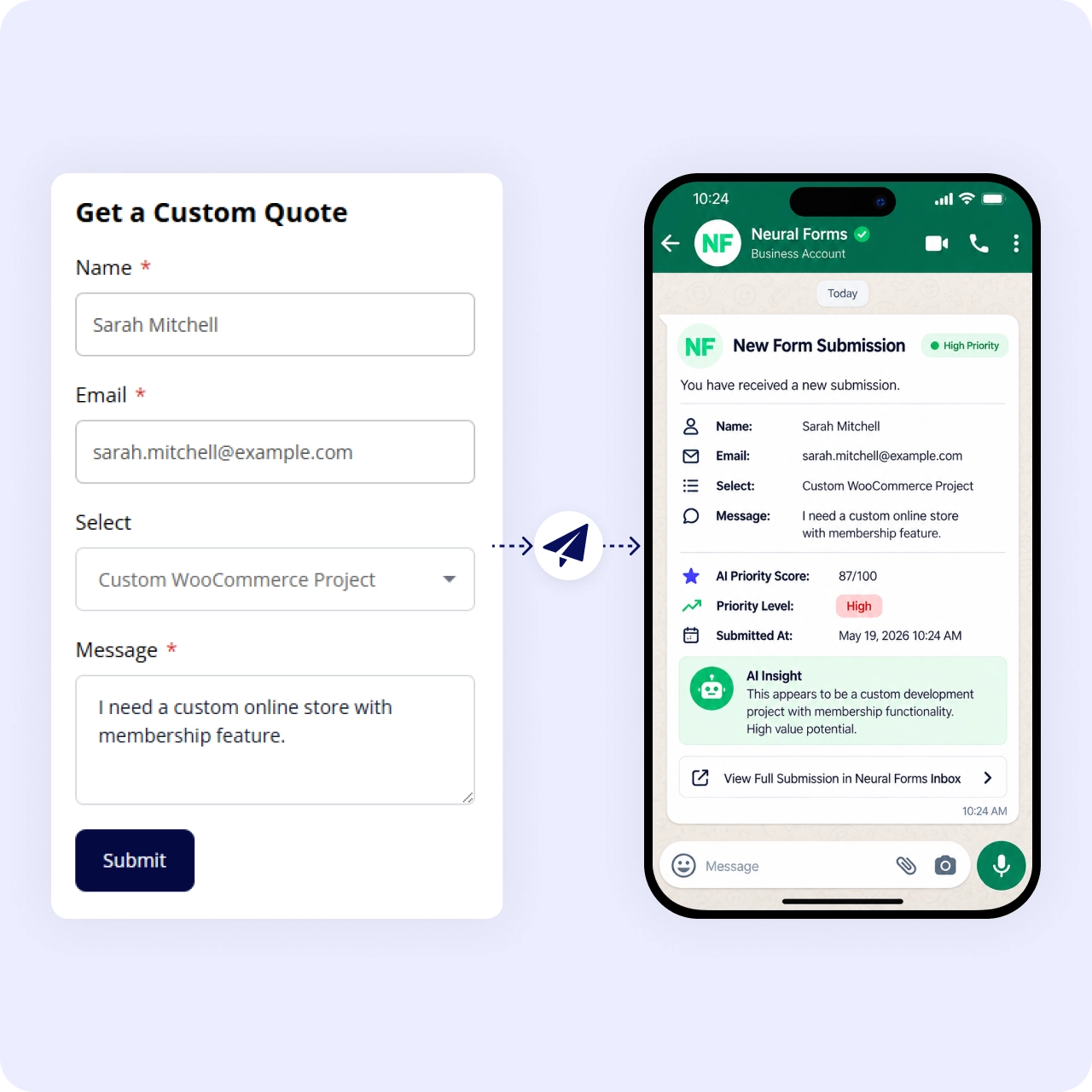
Get form submissions from WordPress on WhatsApp
Connecting a form in WordPress to WhatsApp means a new submission can reach you where you already read messages, instead of sitting in an unwatched inbox. Neural Forms includes a WhatsApp integration, and pairs it with real-time email notifications and a built-in inbox, so no lead goes unseen. It suits teams that live on their phones and want to answer fast.
How It Works
WhatsApp, email, and inbox. Three channels, one submission
Four capabilities that make sure every lead reaches you fast.
Connect WhatsApp
Connect WhatsApp as an integration for your forms. New submissions reach your phone where you already read messages.
Real-time email notifications
Real-time email notifications fire on every submission as well. Two alert channels so nothing slips through.
Built-in inbox with AI
Built-in inbox keeps the full submission with its AI summary and priority score. The permanent record behind every alert.
Reply from the inbox
Reply from the inbox with thread history once you have seen the alert. The full conversation stays in one place.
Why It Matters
Speed of first response decides many leads
Getting a submission on WhatsApp puts it in front of you within seconds, while the built-in inbox keeps the full record and AI priority score so your team can follow up properly, not just react.
Use Cases
WhatsApp alerts for every form type
Get notified on your phone no matter what kind of form you run.
Related Features
WhatsApp works alongside these features
Messaging alerts pair with email, the inbox, and your contact forms.
Email notifications
WhatsApp and email work side by side: two channels, same submission.
Lead management inbox
The alert gets you to the lead. The inbox is where you reply and track the full conversation.
Contact form
The most popular form type gets every enquiry on WhatsApp and responds in minutes.
FAQs
Frequently asked questions
Yes. Neural Forms includes a WhatsApp integration for your forms.
Yes. Real-time admin email notifications and an autoresponder work regardless of WhatsApp.
In the built-in inbox, with an AI summary and priority score.
Neural Forms
Get leads on WhatsApp, manage them in WordPress
Download Neural Forms Lite free with email notifications and the built-in inbox. Upgrade for WhatsApp integration, AI features, and more.
30-Day Money Back Guarantee. No Questions Asked!