
File Upload Form
Add file-upload to your forms in WordPress
Let visitors attach resumes, images, or documents when they submit. Every uploaded file lands in the same inbox where you review, score, and reply.
How It Works
Drop in a file upload field and manage every attachment
Four steps from adding the field to triaging uploaded submissions.
Drag in the file upload field
Add the file upload field alongside any of the 18 field types. Resumes, images, documents visitors attach what you need.
Combine with logic and steps
Use multi-step layouts and conditional logic for example, show the upload field only when a visitor selects “Yes, I have a file to attach.”
AI-triaged inbox
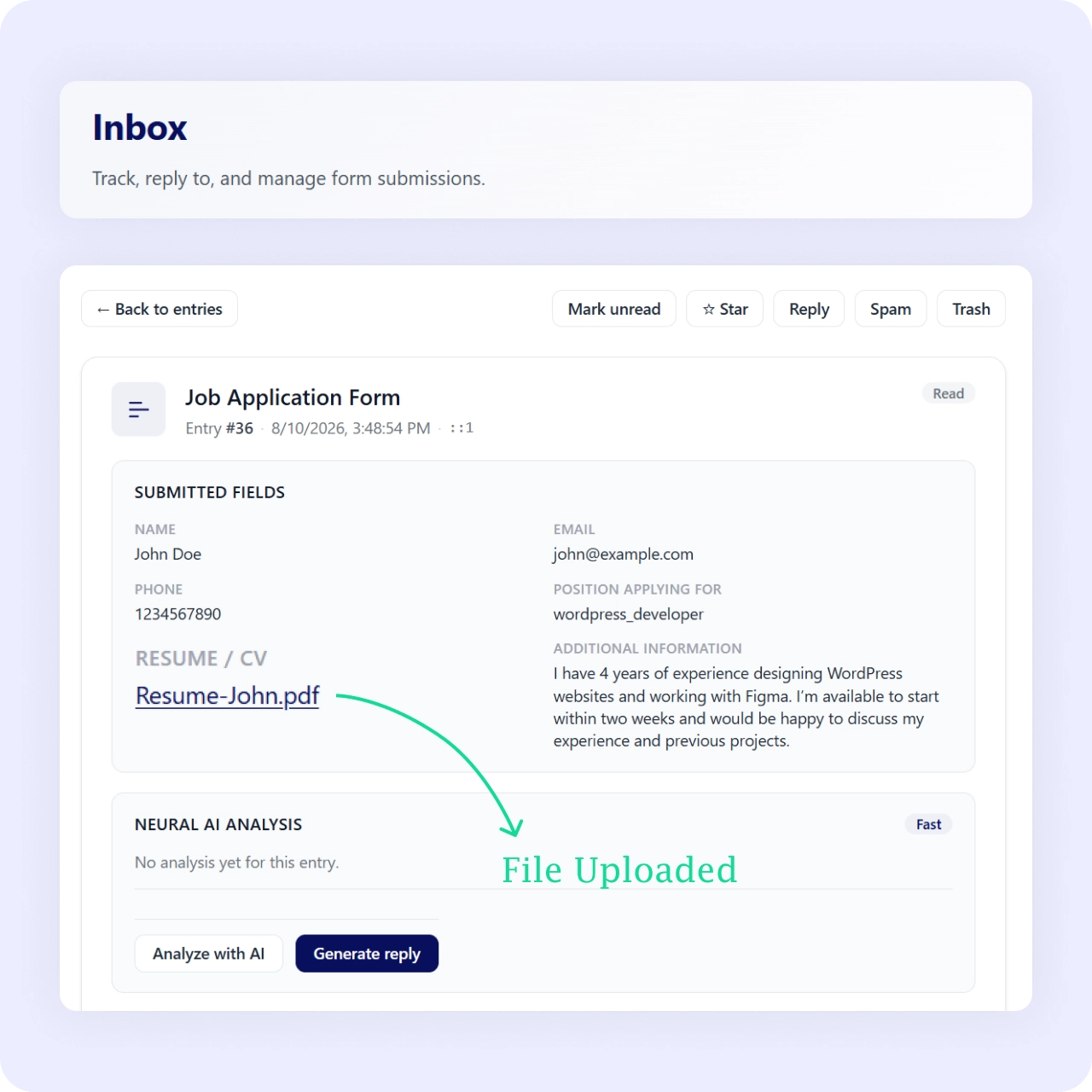
Each submission with its file appears in the built-in inbox with an AI summary and priority score. Urgent submissions surface first.
Reply and export
Reply from the inbox with full thread history and export entries to CSV with date range and status filters.
Why It Matters
Files collected, sorted, and ready to act on
Collecting files is only half the job. Neural Forms keeps every file-bearing submission in one inbox with AI triage, so a stack of resumes or documents arrives sorted by priority instead of scattered across email attachments.
Use Cases
Forms that need file uploads
See how file upload forms fit specific scenarios.
Related Features
Features that work with file uploads
The file upload field fits seamlessly into the rest of Neural Forms.
Conditional logic
Show the upload field only when it is relevant based on earlier answers or selections.
Spam protection
AI spam detection ensures file-bearing submissions are legitimate before they reach your inbox.
Lead management inbox
Every submission with its file lands here. AI summaries, priority scores, and one-click replies.
FAQs
Frequently asked questions
Yes. The file upload field is one of the many field types in the free Lite plugin.
Each submission and its file appear in the built-in inbox, where you can review, score, and reply.
Yes. Use conditional logic to reveal the field based on earlier answers.
Yes. Export entries to CSV with date range and status filters.
Neural Forms
Start collecting files through your forms
Download Neural Forms Lite free with the file upload field, 17 other field types, and the AI-powered inbox. Upgrade for conditional logic, CRM integrations, and more.
30-Day Money Back Guarantee. No Questions Asked!