
Spam protection
Spam protection for WordPress forms that reads every submission
AI scores every submission against an adjustable threshold, plus CAPTCHA protection on your forms. Fewer false positives than a blunt keyword blocklist.
How it works
AI scoring, CAPTCHA, and full control
Four layers of protection that keep spam out and real leads in.
AI spam classification
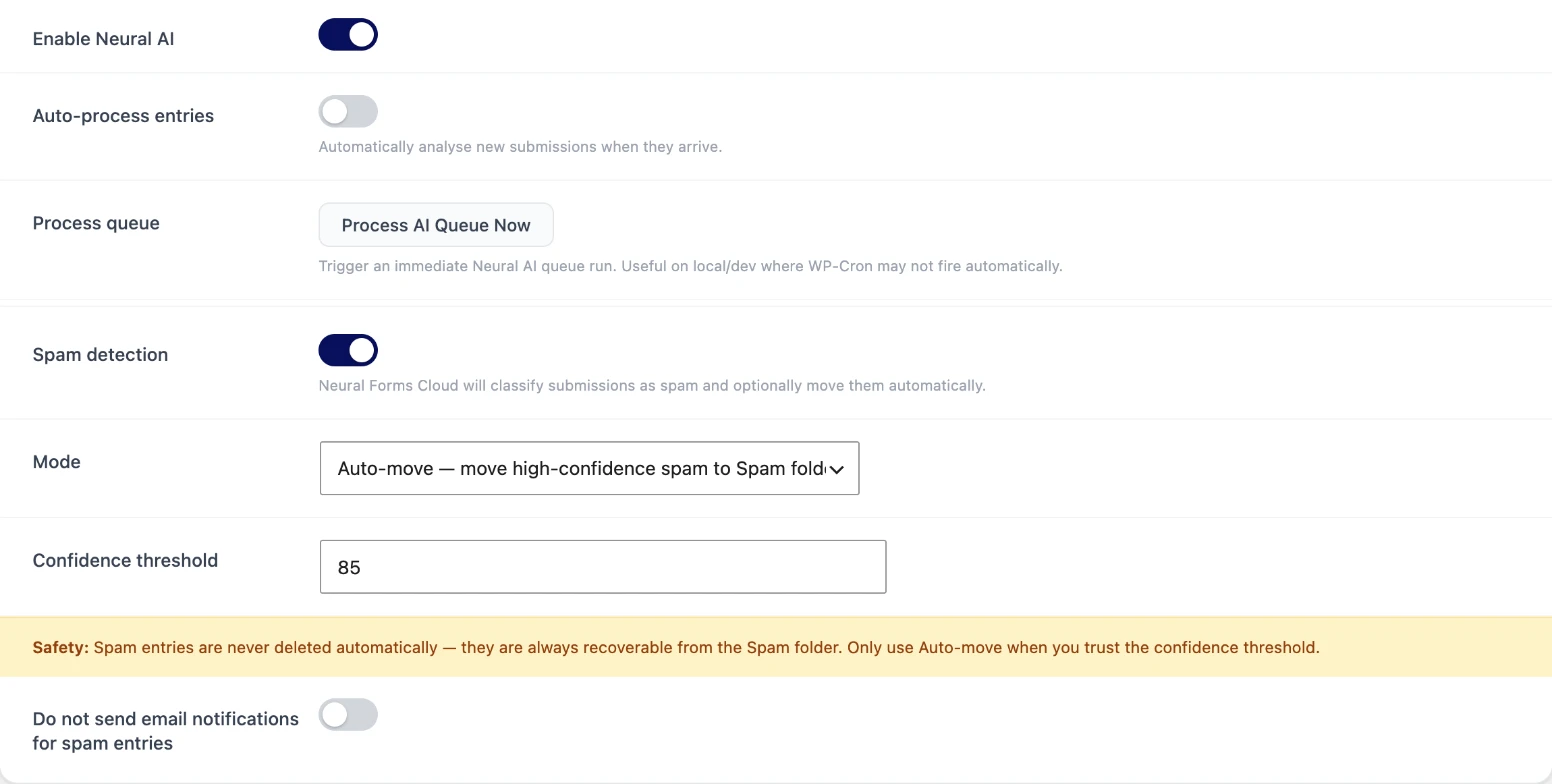
Each entry is scored by AI. You set an adjustable threshold between 60 and 100. Higher means only the most certain spam is moved, lower filters more aggressively.
Suggest or auto-move
Choose whether flagged entries are suggested for your review or moved to spam automatically. You stay in control of how aggressive the filter gets.
CAPTCHA protection
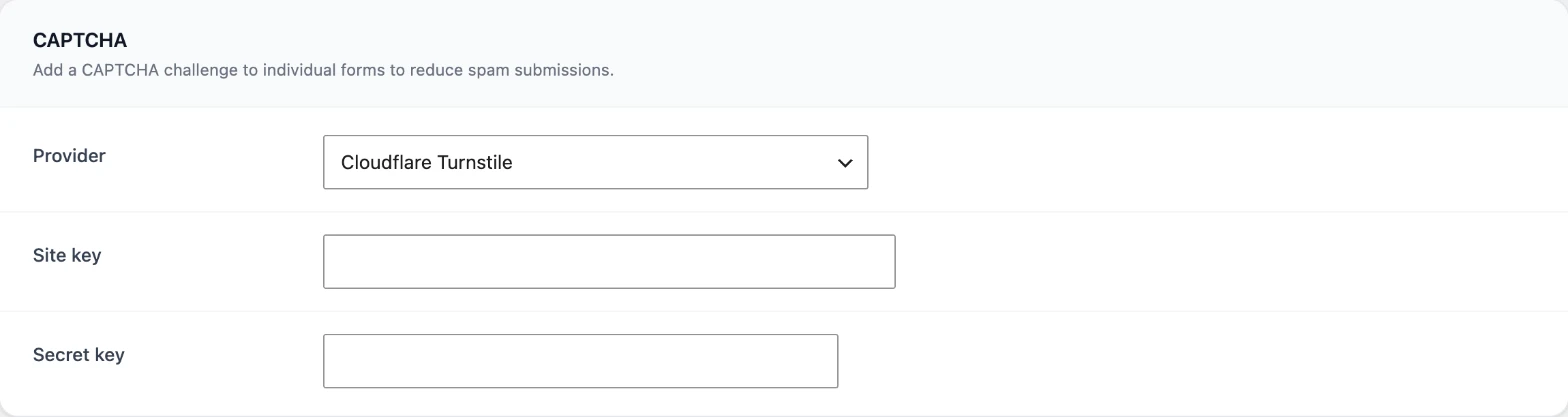
Add CAPTCHA as an extra layer on top of AI scoring. Bots are blocked before they even submit, reducing junk entries at the source.
Spam status in the inbox
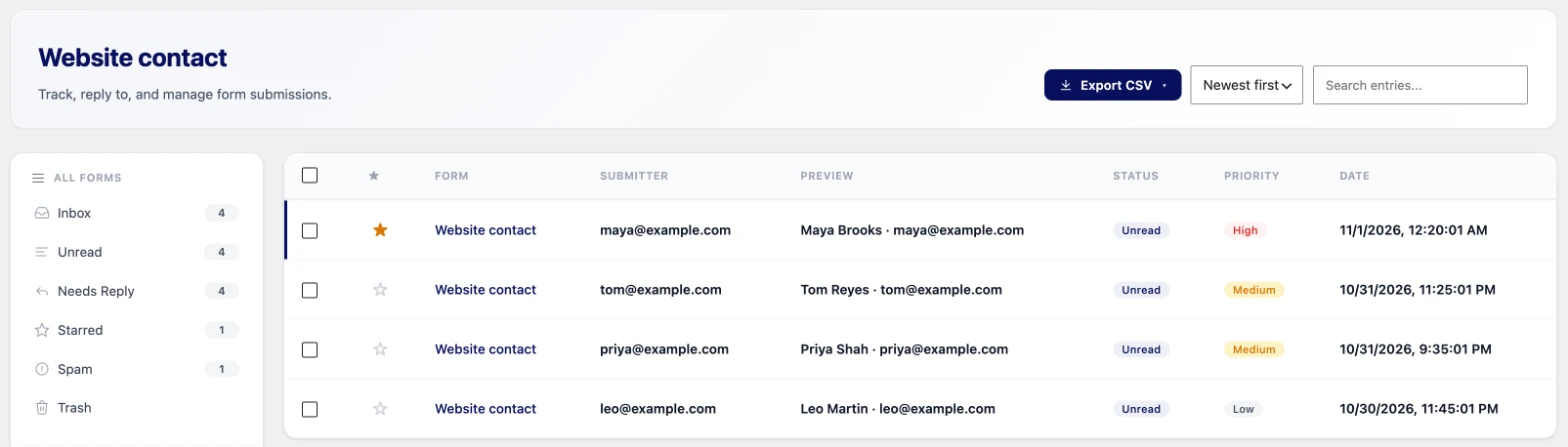
Flagged submissions get a spam status you can review, restore, or bulk-delete. Nothing is lost unless you decide to remove it.
Why it matters
Smarter than a keyword blocklist
Keyword blocklists miss new spam and wrongly flag real people. Because Neural Forms scores each submission with AI and lets you tune the threshold, you decide how aggressive filtering is and keep genuine leads out of the spam pile.
Use cases
Every form needs spam protection
AI spam scoring works across all form types and use cases.
Related features
Spam protection works with everything
AI spam scoring integrates seamlessly with the rest of Neural Forms.
AI-powered forms
The same AI that builds your form also scores every submission for spam.
Contact form
Contact forms attract the most spam: AI scoring keeps your inbox clean.
Email notifications
You can skip email notifications for entries marked as spam.
Lead management inbox
Spam entries are quarantined in the inbox: review, restore, or bulk-delete in one click.
FAQs
Frequently asked questions
How does Neural Forms stop form spam?
AI classifies every submission and scores it against a threshold you set between 60 and 100, and CAPTCHA protection is available.
Can I control how strict the spam filter is?
Yes. Move the threshold slider and choose suggest or auto-move behavior.
What happens to spam submissions?
They get a spam status in the inbox, where you can review, restore, or bulk-delete them.
Neural Forms
Stop spam without blocking real leads
Download Neural Forms Lite free with honeypot, rate limiting, and CAPTCHA support. Upgrade for AI spam detection, CRM integrations, and more.
30-day money-back guarantee. No questions asked.