
GDPR-Friendly Forms
Lead management in WordPress, built into your forms plugin
A GDPR-friendly form in WordPress starts with control over the data you collect. Neural Forms stores submissions in your own WordPress database, includes an acceptance field for consent, and gives you the tools to export or remove a person’s entries on request. This page describes what the plugin does today; it is not legal advice, and compliance depends on how you configure and run your site.
How It Works
Data you control, consent you collect, requests you can answer
Five capabilities that help you handle personal data responsibly.
Consent field
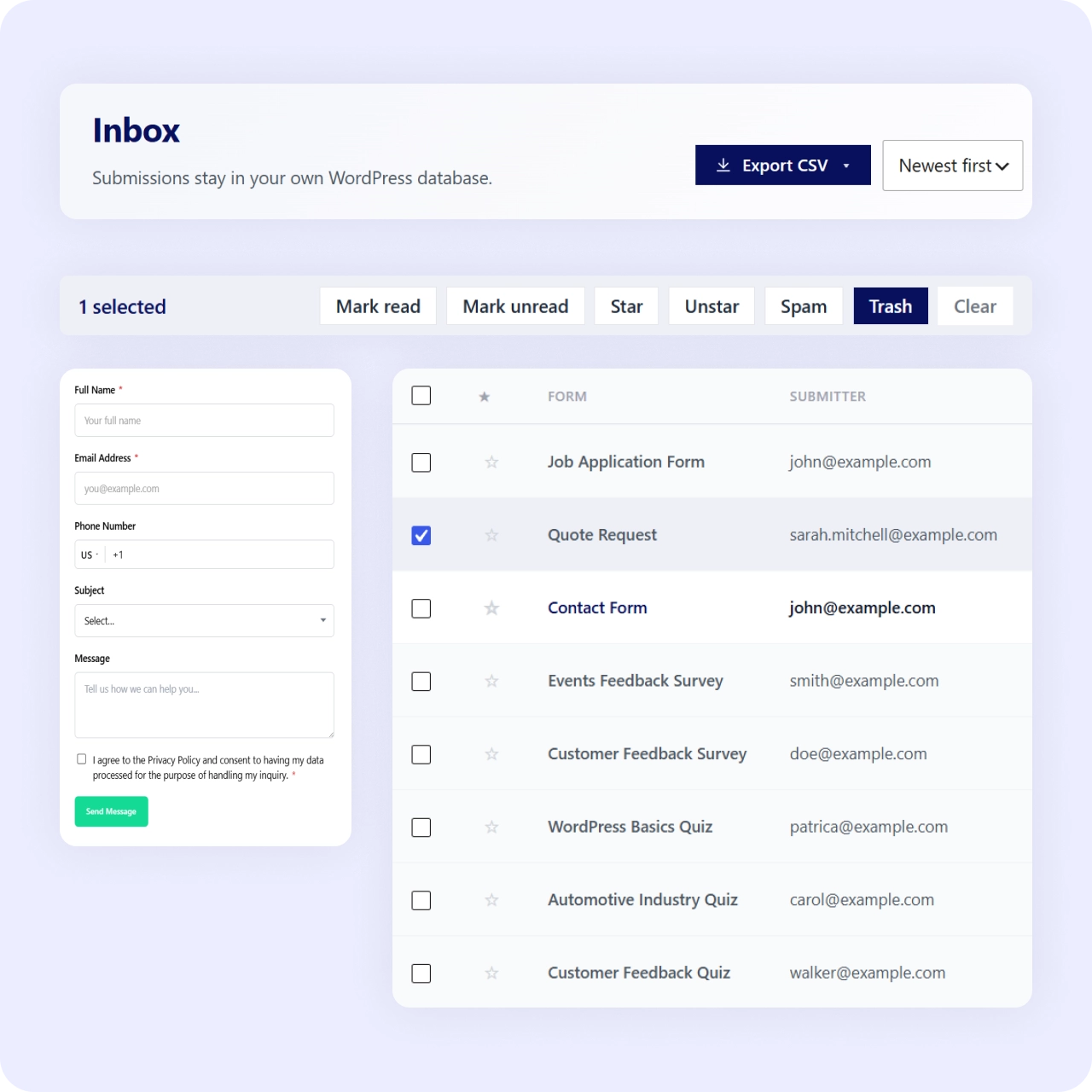
Add an acceptance field so visitors agree before submitting. The form cannot be submitted until the checkbox is checked.
Your database
Submissions are stored in your own WordPress install, in the built-in inbox. Data stays on your server, not a third-party service.
Export on request
Export a person’s entries to CSV with date range and status filters. Fulfill data access requests from the inbox.
Delete on request
Move entries to trash and remove them from the inbox. Handle deletion requests directly from your WordPress dashboard.
Fewer unwanted records
AI spam handling filters junk submissions before they land in your inbox, so you store fewer records you never wanted in the first place.
Why It Matters
Know where your data lives and act on requests
Handling personal data responsibly means knowing where it lives and being able to act on a request. Because submissions stay in your own WordPress database and you can export or delete them, you keep control of the data rather than handing it to a third party by default.
Use Cases
GDPR tools for every form type
Consent fields and data controls apply across all form scenarios.
Related Features
Features that support data responsibility
Spam filtering, export tools, and CAPTCHA all reduce the data you handle.
Spam protection
The inbox stores every submission permanently. Email notifications are a real-time alert on top.
CSV export
Export entries with date range and status filters to fulfill data access requests from the inbox.
reCAPTCHA and Turnstile
Block bots before they submit — an added layer that reduces junk data at the source.
FAQs
Frequently asked questions
In your own WordPress database, accessible through the built-in inbox.
Yes. Use the acceptance field so visitors agree before submitting.
Yes. Export entries to CSV or move them to trash to remove them.
Neural Forms
Handle personal data responsibly from day one
Download Neural Forms Lite free with consent fields, local data storage, and export/delete tools. Upgrade for AI features and more.
30-Day Money Back Guarantee. No Questions Asked!