
Free Contact Form 7 importer
Move from Contact Form 7 for free
The free Neural Forms plugin finds your Contact Form 7 forms, maps the supported fields and imports each one as a draft for you to review. No code, no downtime: your CF7 forms keep working until you swap them out.
Migration features
Your fields come across, ready to review
A smart migration engine that understands CF7 form tags and rebuilds them as native Neural Forms fields.
One-click import
Select any Contact Form 7 form from the import screen, check the preview, and click “Import this form.” Neural Forms does the rest. No manual field mapping needed.
Smart field mapping
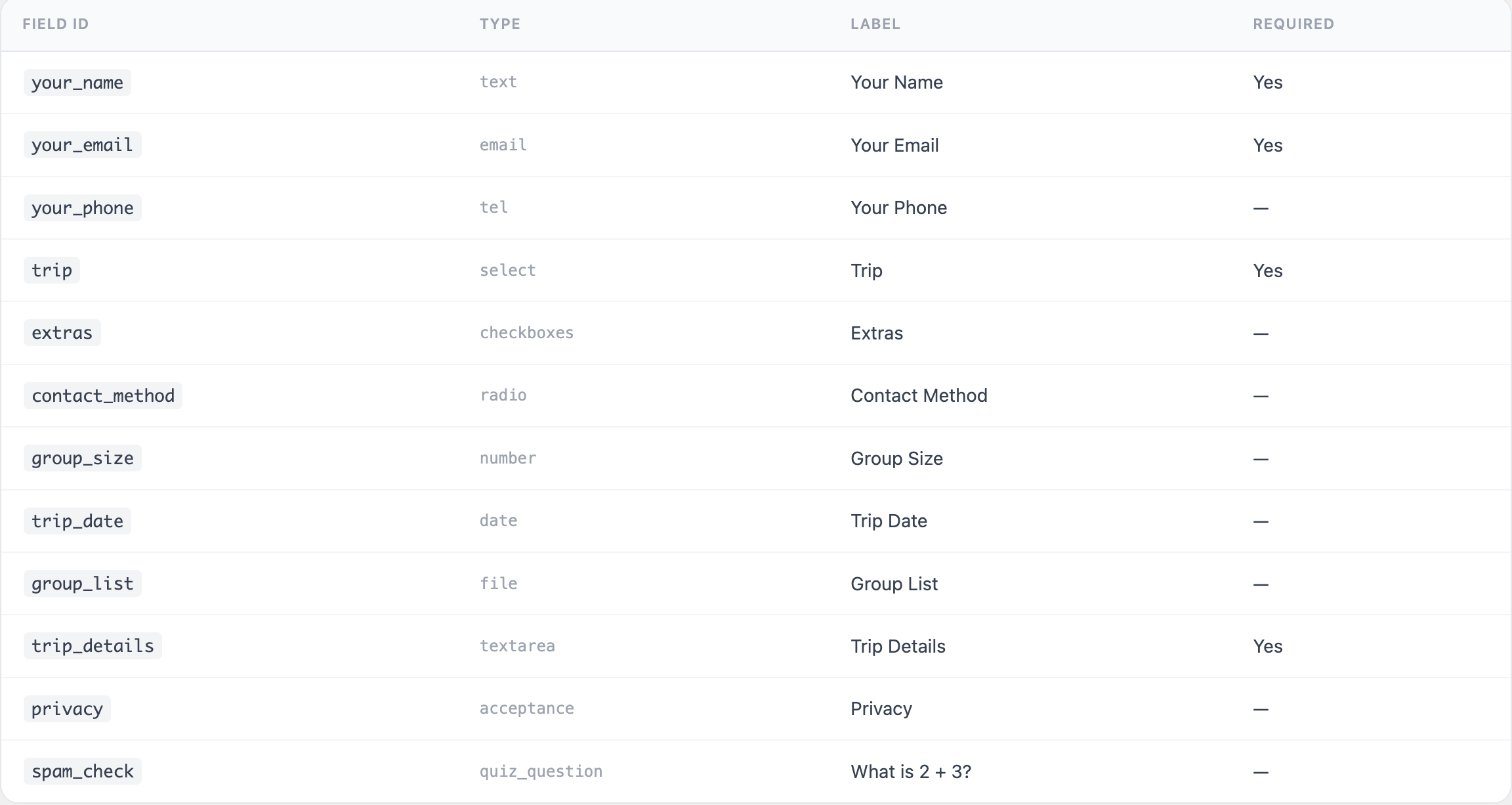
Text fields, email inputs, textareas, dropdowns, checkboxes, radio buttons, file uploads: the standard CF7 field types map to Neural Forms equivalents automatically, and CAPTCHA or payment tags are skipped with a warning.
Validation preserved
Required fields, number and date limits, and file type and size limits are detected from your CF7 markup and applied to the new form.
Set up email notifications fresh
CF7 mail settings are not imported. Neural Forms emails you about every new entry by default, and you set the recipients in each form’s settings.
Zero downtime
The migration creates new Neural Forms alongside your CF7 forms. Switch over at your own pace: both work simultaneously until you’re ready.
Instant AI upgrade
Once migrated, your entries can use Neural Forms AI: submission analysis and draft replies, plus automatic analysis and AI spam detection on paid plans.
How it works
Migrate in three simple steps
Scan your CF7 forms
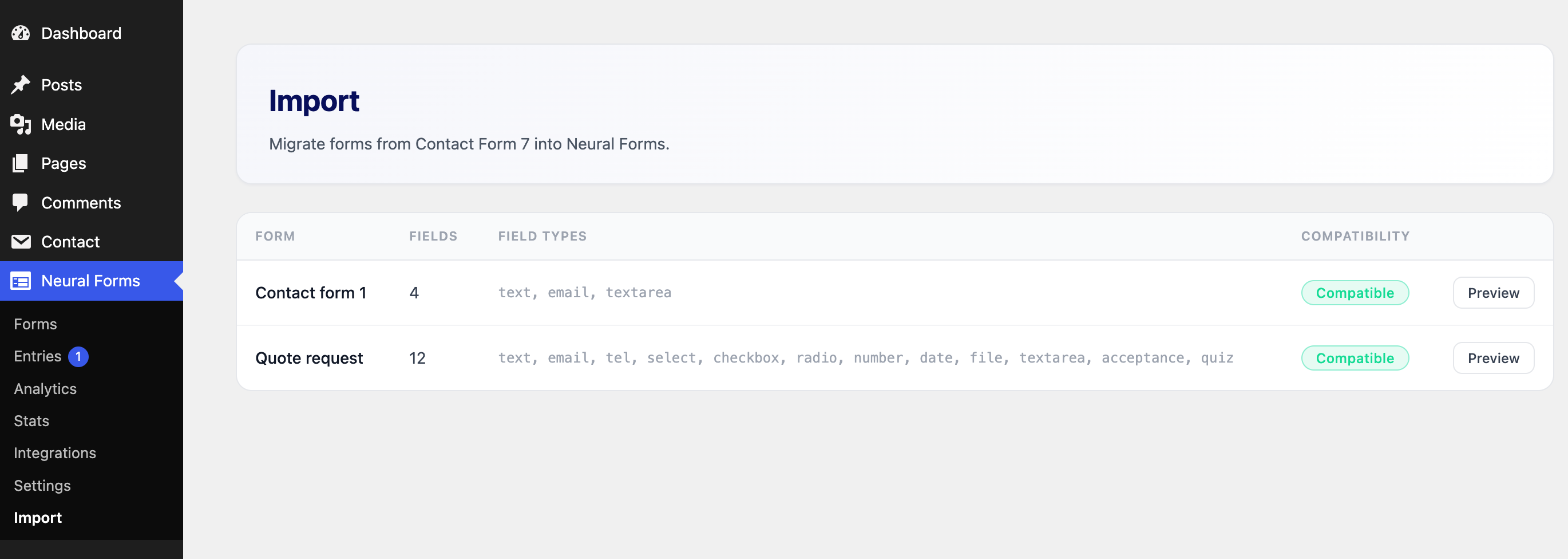
Go to Neural Forms → Import. The plugin automatically detects all Contact Form 7 forms on your site and lists them with field counts.
Select and import
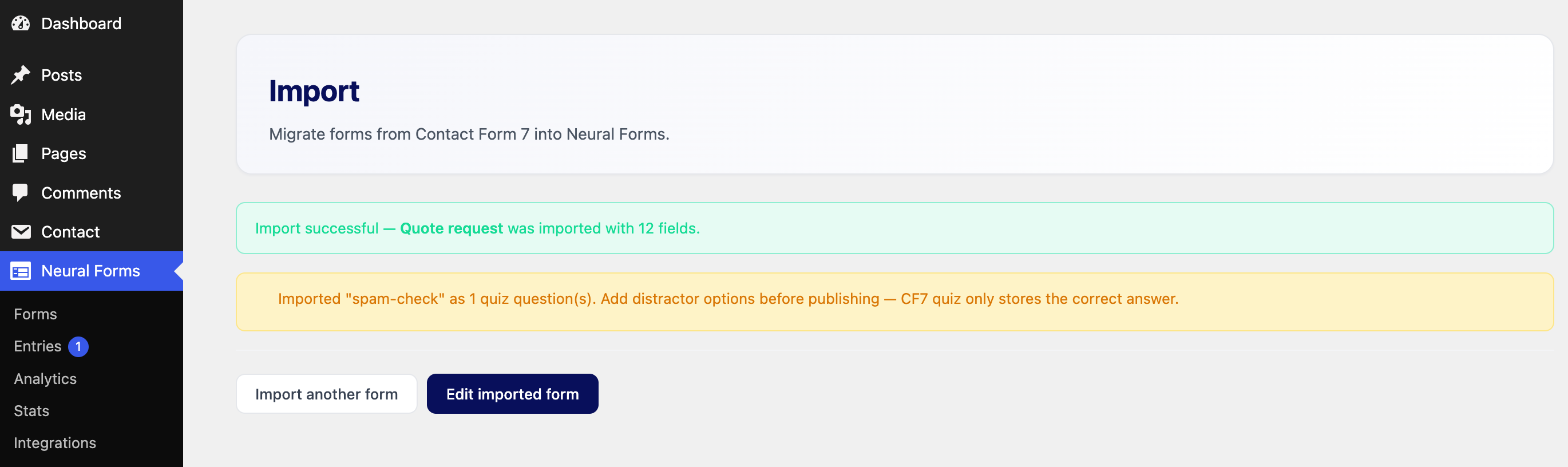
Pick a form to migrate, preview it, and click “Import this form.” Neural Forms maps each supported field, label, placeholder, and required setting.
Review and go live
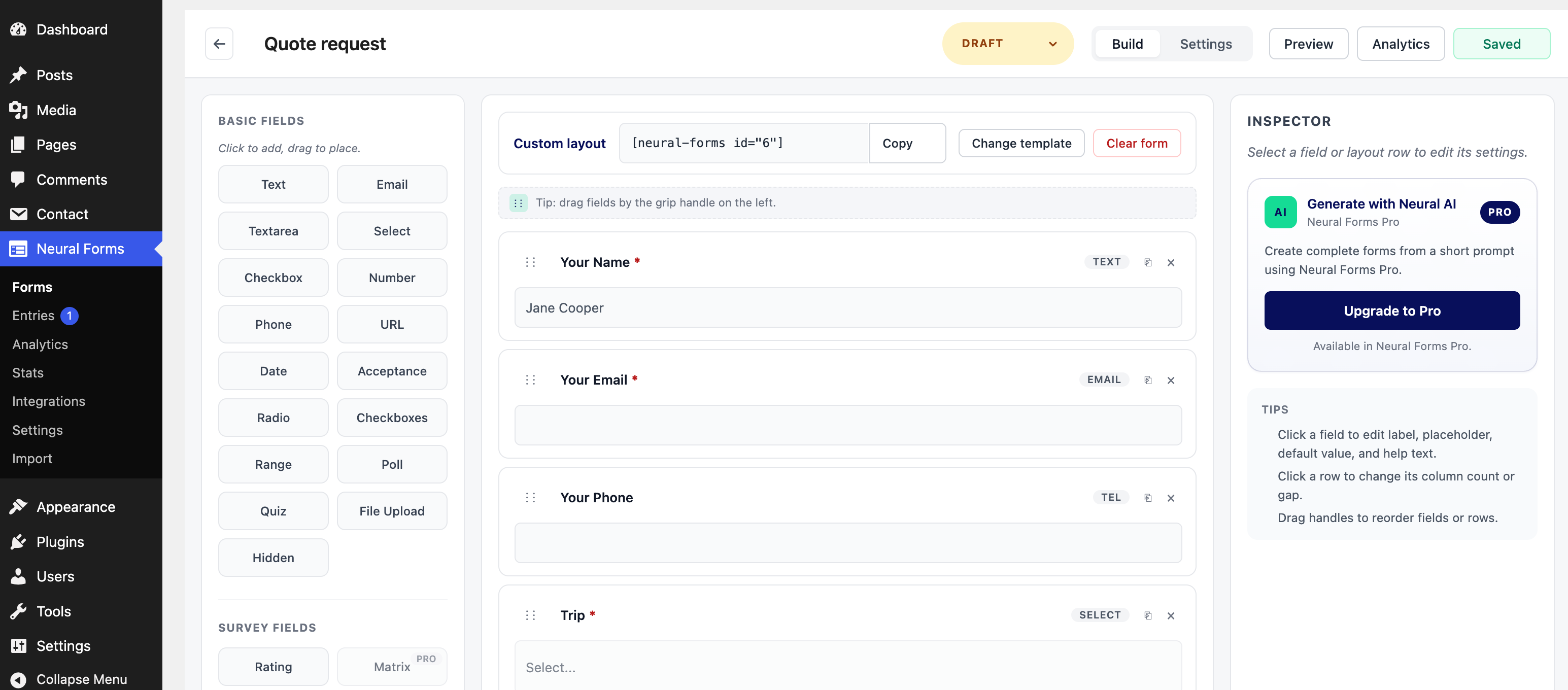
Open the imported forms in the visual builder to review. Replace the old CF7 shortcode with the Neural Forms block or shortcode, and you’re live.
Neural Forms
Ready to leave Contact Form 7 behind?
Download Neural Forms Lite for free and move your Contact Form 7 forms over in minutes. The importer, the builder and the lead inbox are all in the free plugin.
Free pluginImports as draftsCF7 keeps working until you switch