AI spam detectionPro
Let Neural AI flag or move spam automatically.
Requires Neural Forms Pro (with Lite installed and active).
Neural Forms Cloud classifies each submission as spam or not. You decide whether it only flags spam or moves it to the Spam folder.
Turn it on#
- Go to Neural Forms → Settings. Spam detection is in the Neural AI Cloud card.
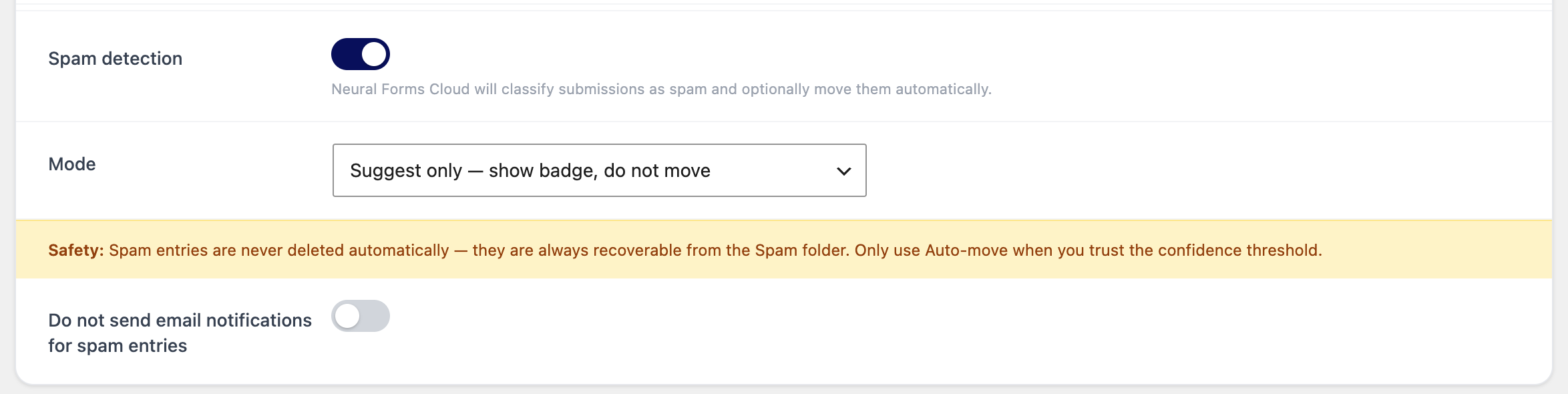
- Turn on Spam detection.
- Choose a Mode (below). For Auto-move, set the Confidence threshold.
- Optional: turn on Do not send email notifications for spam entries.
- Click Save settings.
| Setting | Options |
|---|---|
| Mode | Suggest only: shows a spam badge, does not move the entry. Auto-move: moves high-confidence spam to the Spam folder. |
| Confidence threshold | Auto-move only. 60–100 (default 85). Only entries at or above this confidence are moved. |
| Do not send email notifications for spam entries | Skips admin notification emails for entries classified as spam. |
Spam entries are never deleted automatically; you can always recover them from the Spam folder. Start with Suggest only for a few days, check the Spam Suspected filter, then switch to Auto-move. For best results, also add a CAPTCHA (Settings → CAPTCHA: Cloudflare Turnstile or reCAPTCHA v2), which is free in Lite.

