
CSV Export
Export form entries from WordPress to CSV
The CSV export feature of Neural Forms lets you pull your submissions from WordPress out for reporting, backups, or importing into another tool. Neural Forms exports entries to CSV with date range and status filters, so you take exactly the records you need. It suits anyone who reports on form data in a spreadsheet or moves leads into a CRM.
How It Works
Filter, export, and open anywhere
Four steps from your inbox to a clean CSV file.
Export from the inbox
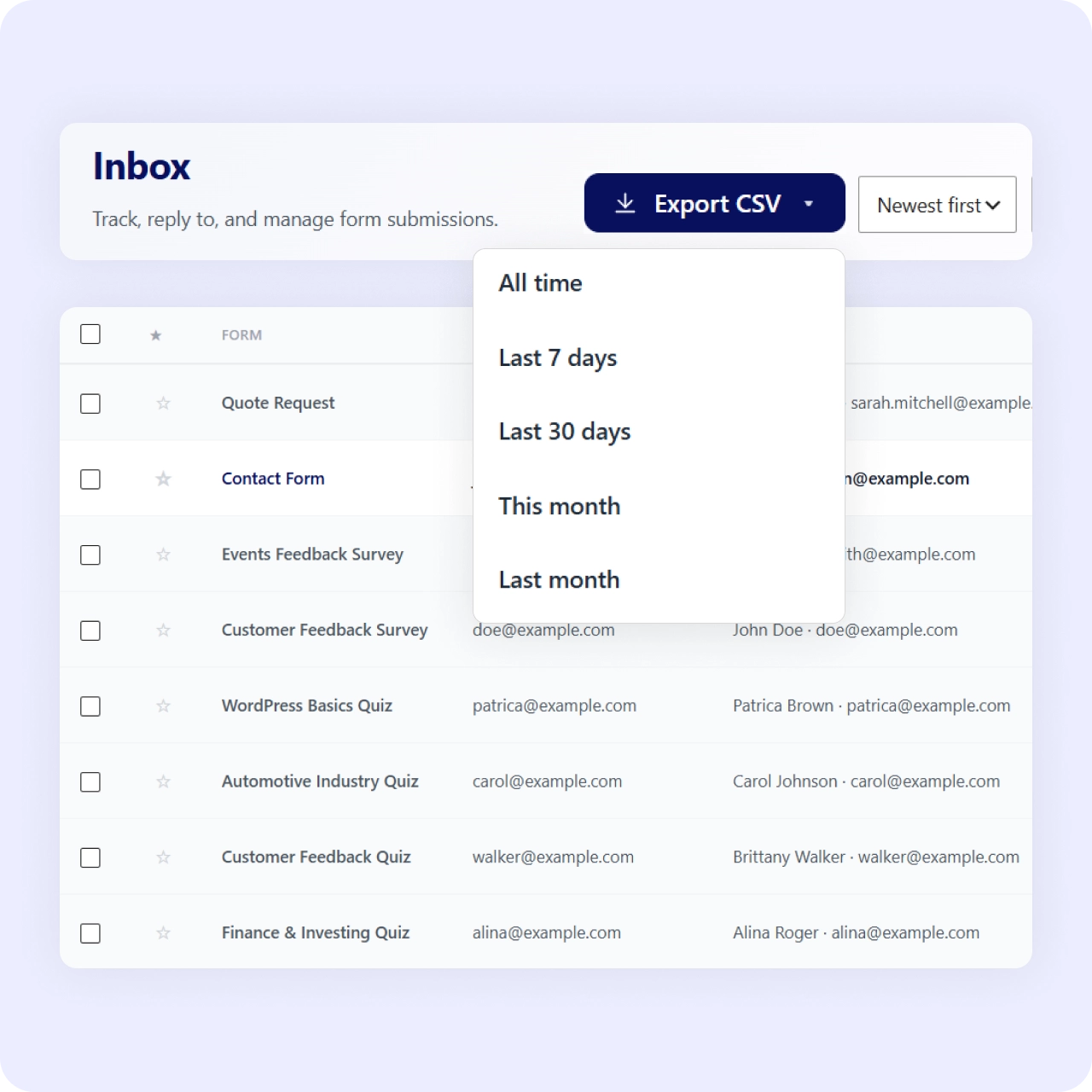
Export entries to CSV directly from the inbox. One click to start the download with all your filtered data.
Filter by date range
Take a specific period: last week, last month, or a custom range. Get exactly the records you need for reporting.
Filter by status
Export new or read entries and skip spam and trash. Status filters keep your CSV clean and relevant.
Open in any spreadsheet or CRM
Open the file in any spreadsheet, or import it into your CRM or email tool. Standard CSV format works everywhere.
Why It Matters
Your data should not be trapped in the dashboard
A filtered CSV export means clean reporting, a portable backup, and a straightforward path into other tools, without copying rows by hand.
Use Cases
Export data from any form type
CSV export works across all form scenarios and use cases.
Related Features
Export pairs with these features
CSV export works alongside the inbox, analytics, and GDPR tools.
Lead management inbox
The inbox is where you manage leads. CSV export is how you get them out for reporting.
Form analytics
Analytics shows the big picture inside WordPress. CSV export lets you dig deeper outside it.
GDPR-friendly forms
CSV export helps fulfill data access requests, a key piece of responsible data handling.
FAQs
Frequently asked questions
Yes. Export from the inbox with date range and status filters.
Yes. Filter by date range before exporting.
Yes. Filter by status so you export only the entries you want.
Yes. The file opens in any spreadsheet and imports into most CRM and email tools. For live syncing, Neural Forms also connects to HubSpot, Mailchimp, and Zapier.
Neural Forms
Get your form data out of WordPress
Download Neural Forms Lite free with CSV export, date and status filters, and the built-in inbox. Upgrade for AI features and more.
30-Day Money Back Guarantee. No Questions Asked!