
Form Templates
One-click form templates for WordPress
Pick a template, load it in one click, and customize every field in the drag-and-drop builder. A running start with full control over the result.
How It Works
From template to live form in four moves
Pick, edit, extend, or generate — every path leads to the same powerful builder.
Pick a template
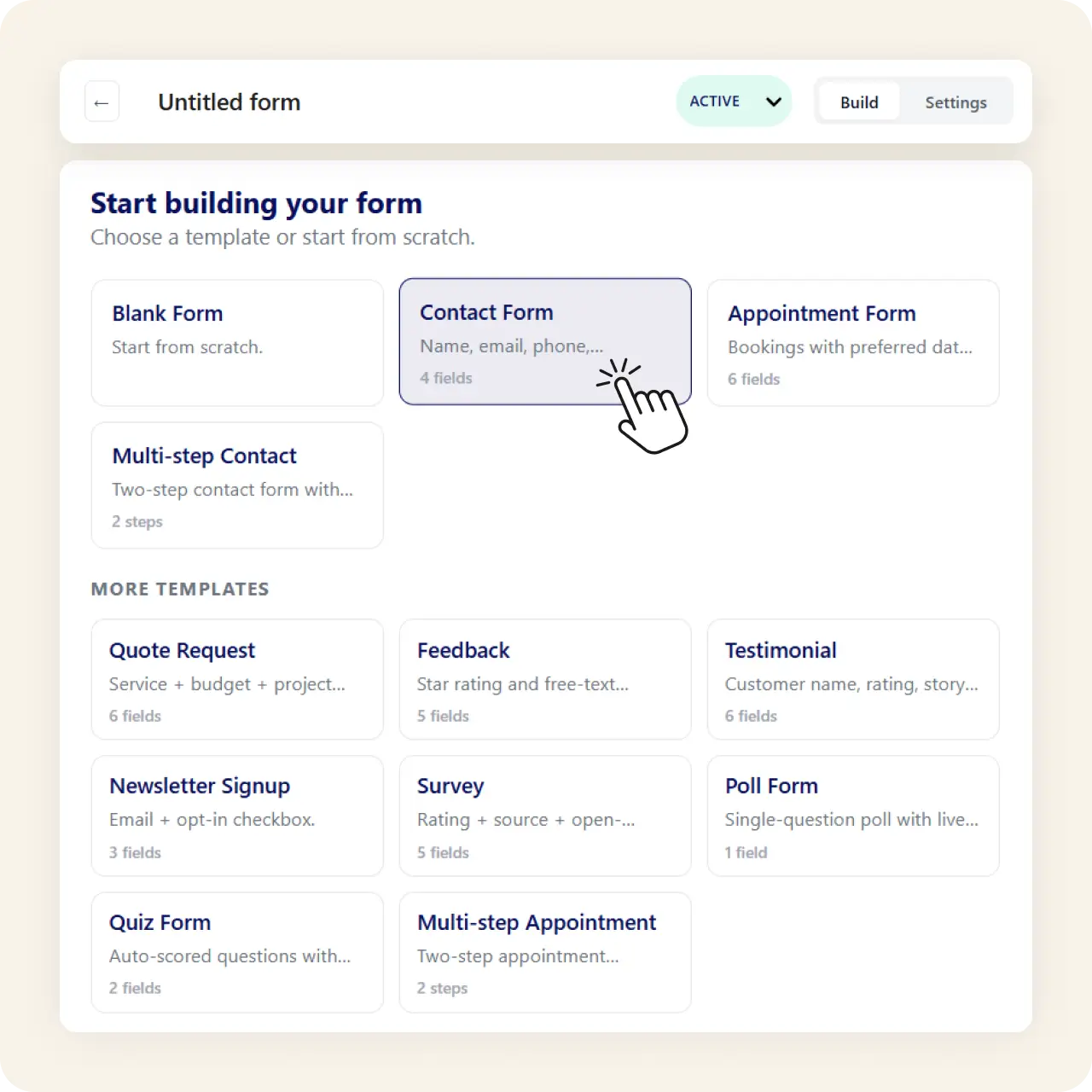
Browse the template library and load any template into the builder with one click. Contact forms, feedback forms, applications, and more.
Edit fields and layout
Change labels, validation rules, and placeholder text. Rearrange fields across responsive columns — 1 to 4 columns per row.
Add advanced features
Layer on multi-step pages, conditional logic, and file upload fields as needed. Every template is a starting point, not a limit.
Or let AI generate one
Prefer to describe your form instead? AI generates one from a plain English prompt on paid plans, then you refine it like any template.
Why It Matters
No blank page, no lock-in
A template removes the blank-page problem without locking you in. Because every template opens in the same drag-and-drop builder, you keep full control of layout and logic, and you can layer AI generation on top when you want a faster start.
Use Cases
Looking for a specific form type?
The use-case pages cover specific scenarios with recommended fields and setup tips.
Related Features
Templates are just the beginning
Features that work alongside templates to make your forms smarter.
Drag and drop form builder
The builder where every template opens. 18 field types, responsive columns, and live preview.
AI-powered forms
Describe a form in plain English and AI generates the fields, labels, and layout — like a custom template on demand.
Contact form
The most popular template use case. Build a contact form with AI inbox and spam filtering.
FAQs
Frequently asked questions
Yes. Multiple one-click templates are included in the free Lite plugin.
Yes. Every template opens in the drag-and-drop builder for full editing.
Yes. On Starter and Agency, AI generates a form from a plain English description.
Yes. Fields come with built-in validation you can adjust.
Neural Forms
Load a template and go live in minutes
Download Neural Forms Lite free with one-click templates, 18 field types, and the drag-and-drop builder. Upgrade for AI generation and more.
30-Day Money Back Guarantee. No Questions Asked!