
QuizzesLite
Scored questions with instant feedback and per-question analytics.
Available in Neural Forms Lite (free) and Pro.
A quiz is a form made of scored questions. Visitors get their score straight away, and you see how each question performed.
Create a quiz#
- Create a form in Neural Forms → Forms (or start from a quiz template).
- Click Quiz in the field palette once for each question.
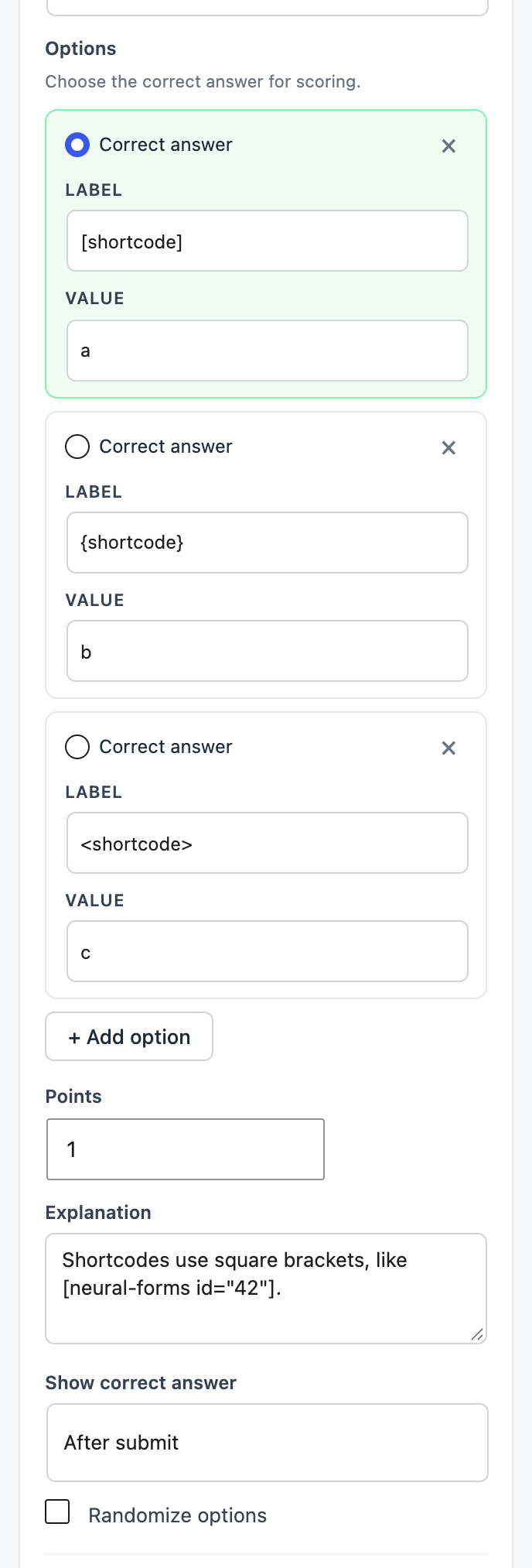
- Click a question and set its Label and Options. Tick Correct answer on exactly one option.
- Set Points, an optional Explanation, and Show correct answer (below).
- Optional: add normal fields such as Name or Email to know who took the quiz.
- Save, and add it to a page with the Quiz block, the shortcode or the Neural Quiz Divi module.
Question settings#
| Setting | What it does |
|---|---|
| Correct answer | Mark exactly one option as correct. |
| Points | How much the question is worth (default 1). |
| Explanation | Optional text shown with the result, to teach the right answer. |
| Show correct answer | After submit or Never. |
| Randomize options | Shuffles the answers for each visitor. |
What quiz takers see#
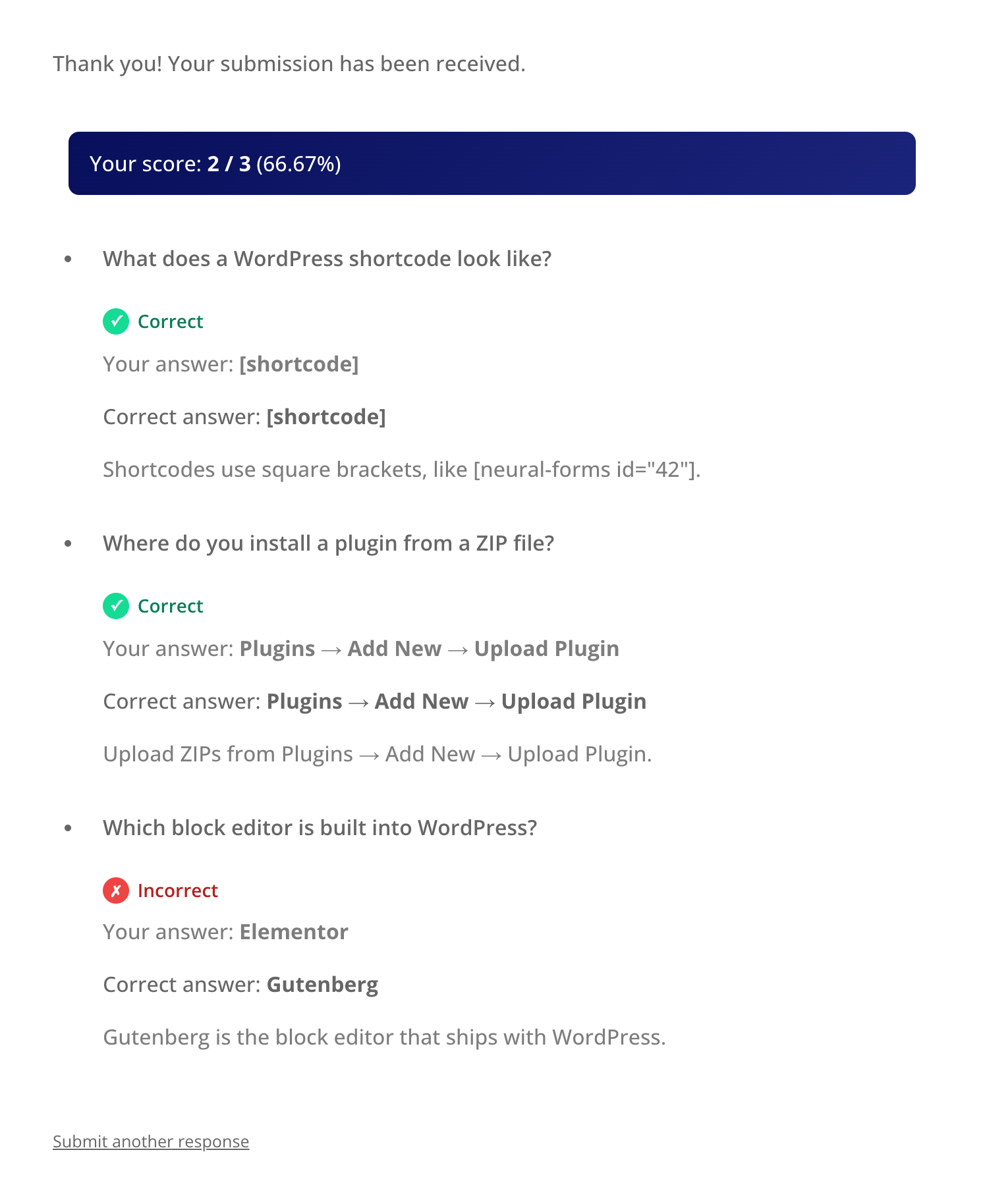
After submitting, visitors see their score (for example 2 / 3 (66.67%)) and, for each question, whether they were right, their answer, the correct answer and your explanation.
Quiz analytics#
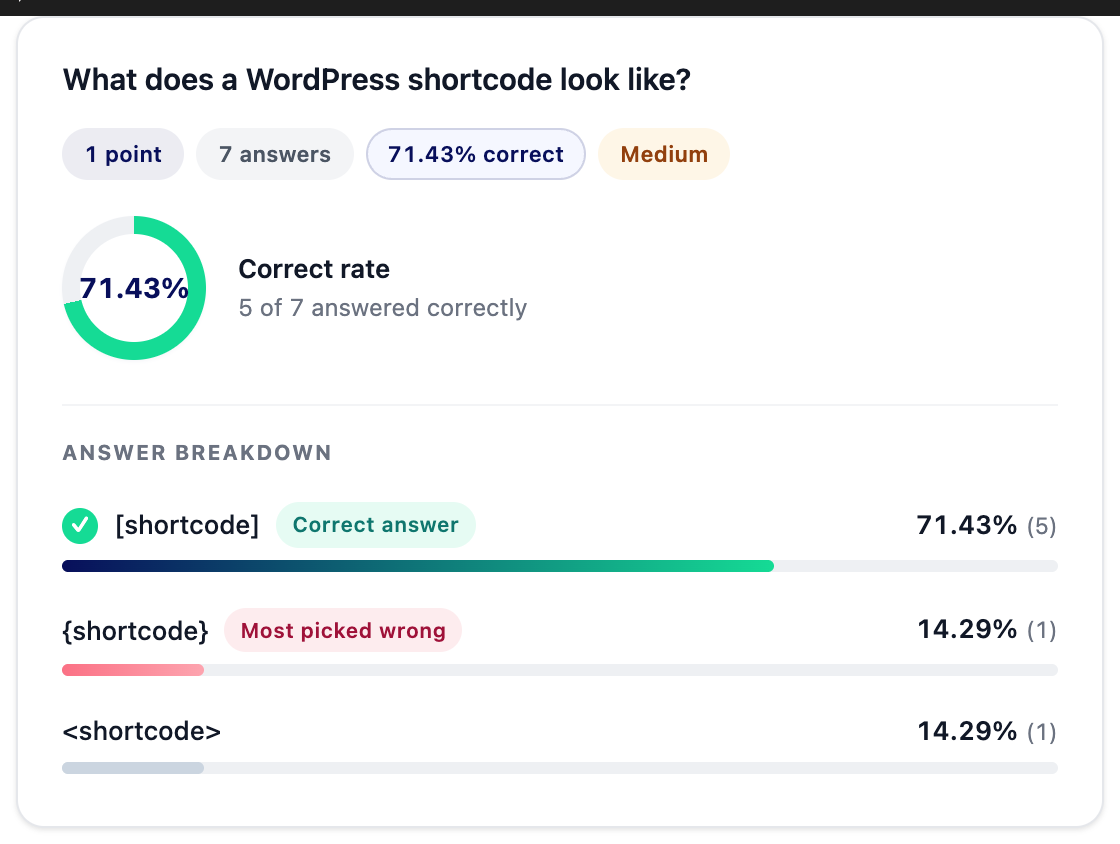
Go to Neural Forms → Analytics and pick the quiz. You get the number of attempts, average score and percentage, highest and lowest score, and for each question its correct rate, a difficulty label (Easy, Medium…), the answer breakdown and the most-picked wrong answer. Individual attempts are listed at the bottom.

Lite Each poll or quiz form accepts up to 200 submissions. Pro removes the limit. For AI on quizzes, use Settings → Process with AI → Process final results.