
Conditional Logic
Show the right form fields in WordPress with conditional logic
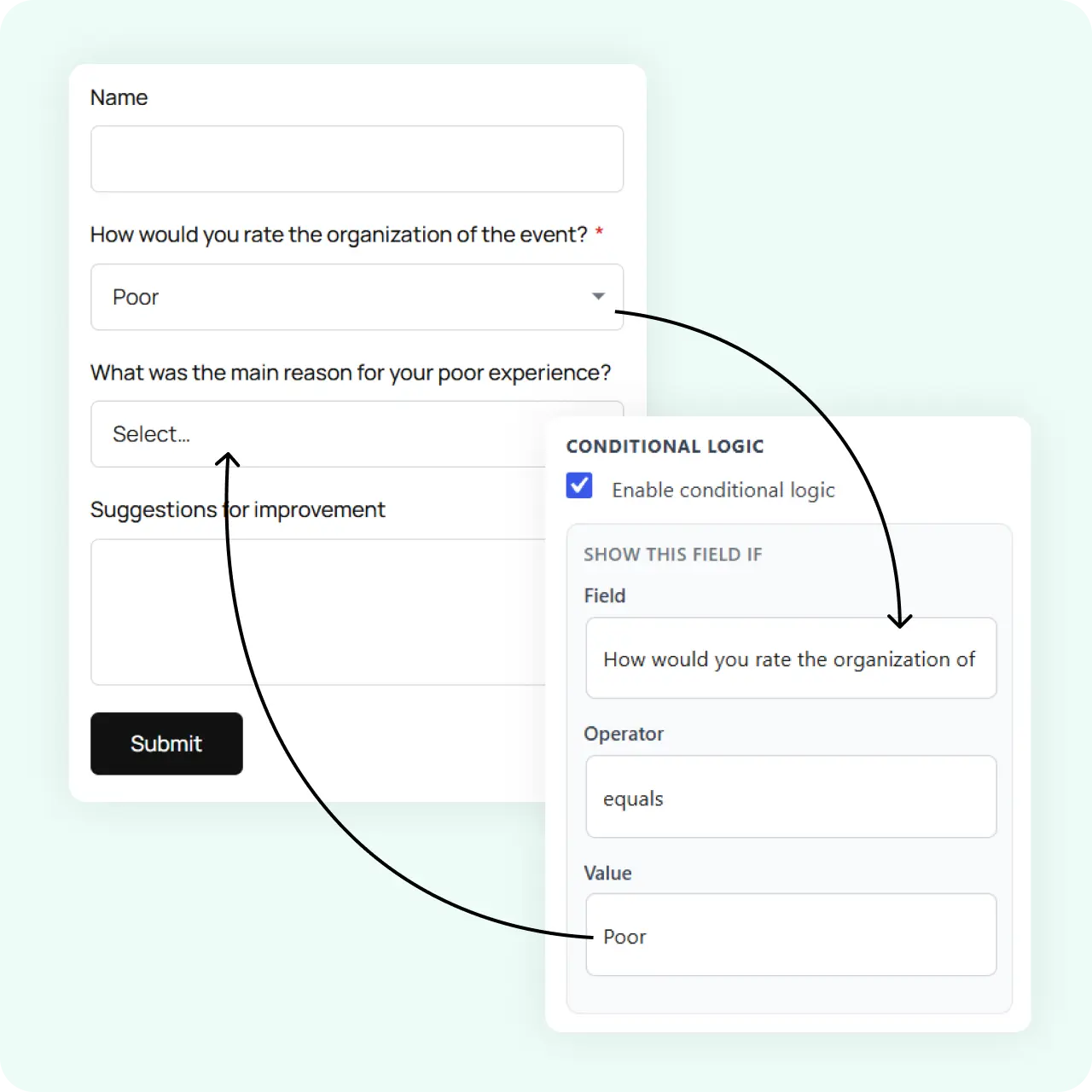
Show or hide fields based on what the visitor selects, so nobody answers questions that do not apply to them.
How It Works
Drop in a file upload field and manage every attachment
Four ways conditional logic makes your forms shorter and smarter.
Show or hide any field
Set rules that show or hide a field based on the value of an earlier field. A quote request form can reveal industry-specific questions based on service type.
Adapt whole steps
Combine conditional logic with multi-step layouts so whole steps adapt to earlier answers. Skip irrelevant pages entirely.
Works with all 18 field types
Use conditional logic with any field text, select, checkbox, file upload, acceptance, and more. No field is left out.
Preview it live
See the conditional behavior in real time as you build. No need to save, publish, and test in a separate tab.
Why It Matters
Shorter forms, higher completion
A form that shows every field to everyone feels longer than it is and lowers completion. Conditional logic keeps each visitor’s version short and relevant, which supports higher completion without you building separate forms for every case.
Use Cases
Forms that benefit from conditional logic
Branching forms work best when different visitors need different questions.
Related Features
Features that pair with conditional logic
Conditional logic works best alongside these builder capabilities.
Drag and drop form builder
The editor where you set conditional rules visually no code required.
Form templates
Start from a template and add conditional logic to customize the flow for your audience.
File upload form
Show the file upload field only when it is relevant a natural pairing with conditional logic.
FAQs
Frequently asked questions
Yes. You can show or hide fields based on earlier answers in the drag-and-drop editor.
Yes. Combine it with multi-step layouts so steps adapt to what the visitor selects.
Yes. Conditional logic works with all 18 field types, including file upload.
Neural Forms
Build smarter forms with conditional logic
Download Neural Forms Lite free and start building forms that adapt to every visitor. Upgrade for AI generation, CRM integrations, and more.
30-Day Money Back Guarantee. No Questions Asked!