AI reply drafts
Reply to every form entry from a draft that is already written
Neural Forms AI writes a reply to each entry from what the person asked, your site’s homepage and the way you have replied before. You read it, change what you want and send it from WordPress.
Drafts on every entry with Starter ($99/yr) and Agency ($199/yr). Lite: one draft per entry, by hand.
Context
How a draft is written
Each draft is written in the Neural Forms cloud from three sources.
The entry
What the person wrote and every field they filled in, so the draft answers their actual question.
Your homepage
Starter and Agency send your site’s homepage text to the Neural Forms cloud once a month, as background on what your business does.
Your past replies
Drafts follow the patterns in the replies you sent before, so they read more like you.
Reply box
Review, change, send
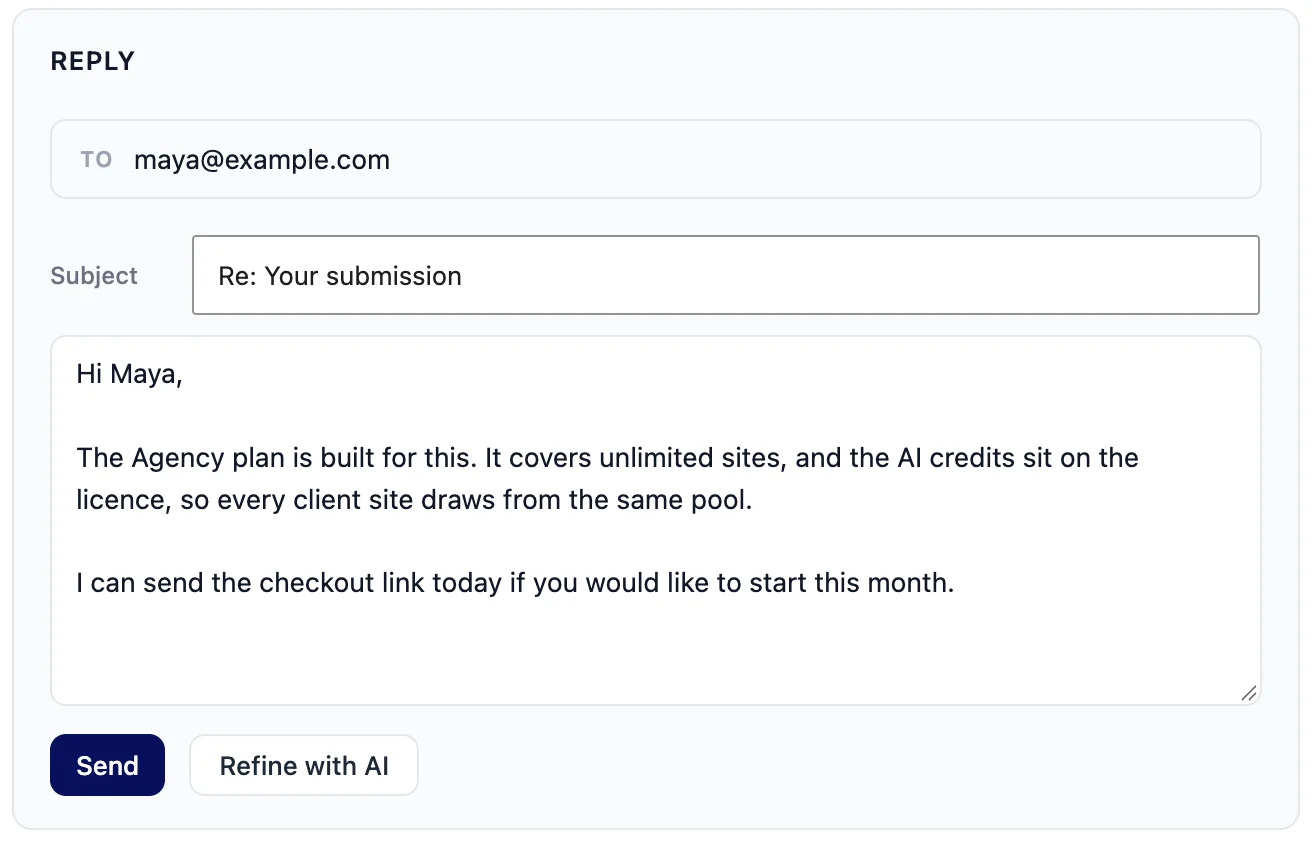
The draft lands in the reply box of the entry in the lead inbox. Edit it like any text, then send.
- Sent to the email address from the form; the recipient is filled in for you
- Plain-text email through your site’s own mail (wp_mail)
- The subject starts as Re: Your submission. Change the default in the email settings, or edit it on any reply
- Only administrators can send replies
Regenerate reply
Not the right angle? Ask the AI for a new draft of the reply. Starter and Agency.
Refine with AI
Write the reply yourself, then let the AI tidy the wording. The result replaces the text in the box, and you can still edit it. Starter and Agency.
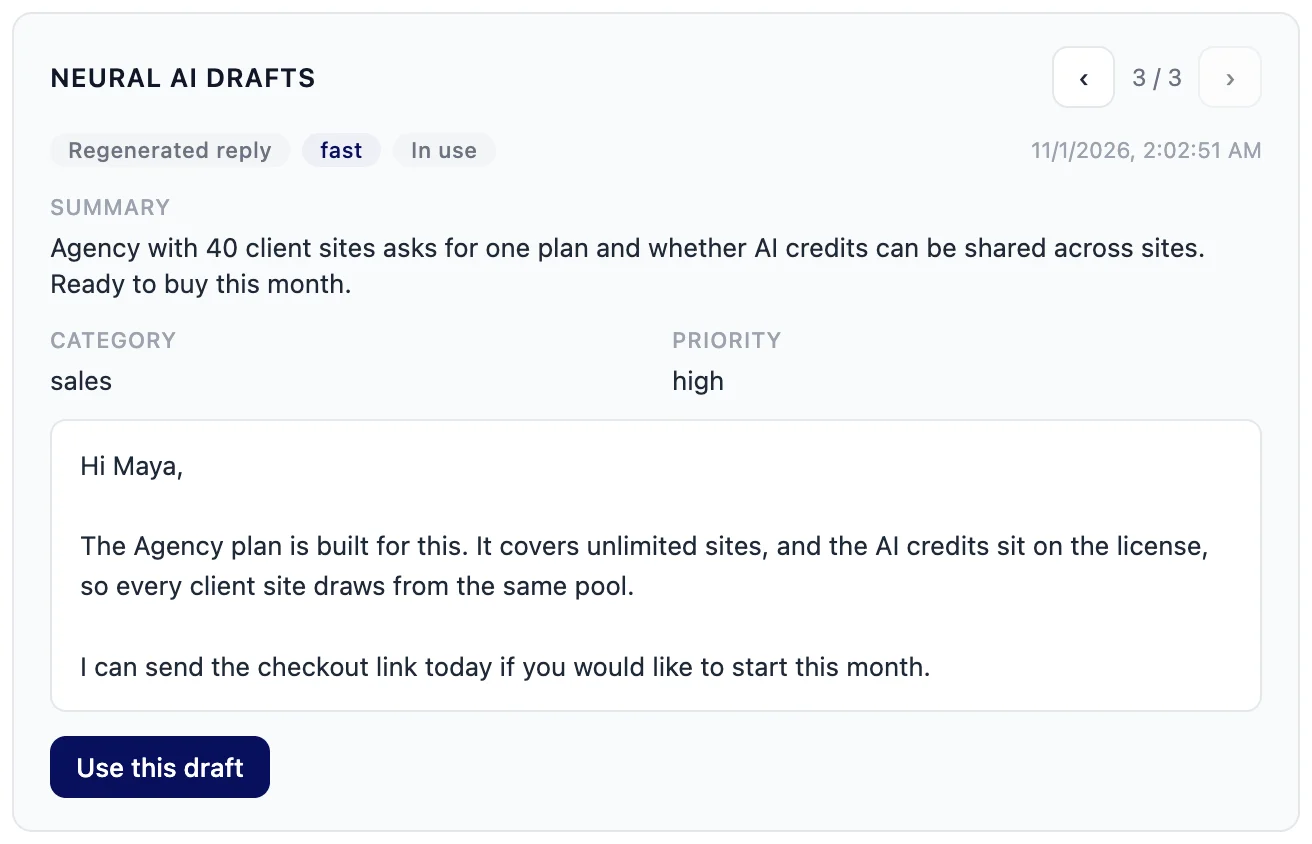
Every draft kept
The drafts card on the entry keeps your recent drafts and refined versions. Page back to an earlier one and pick it with Use this draft.
Thread
Every reply stays with the entry
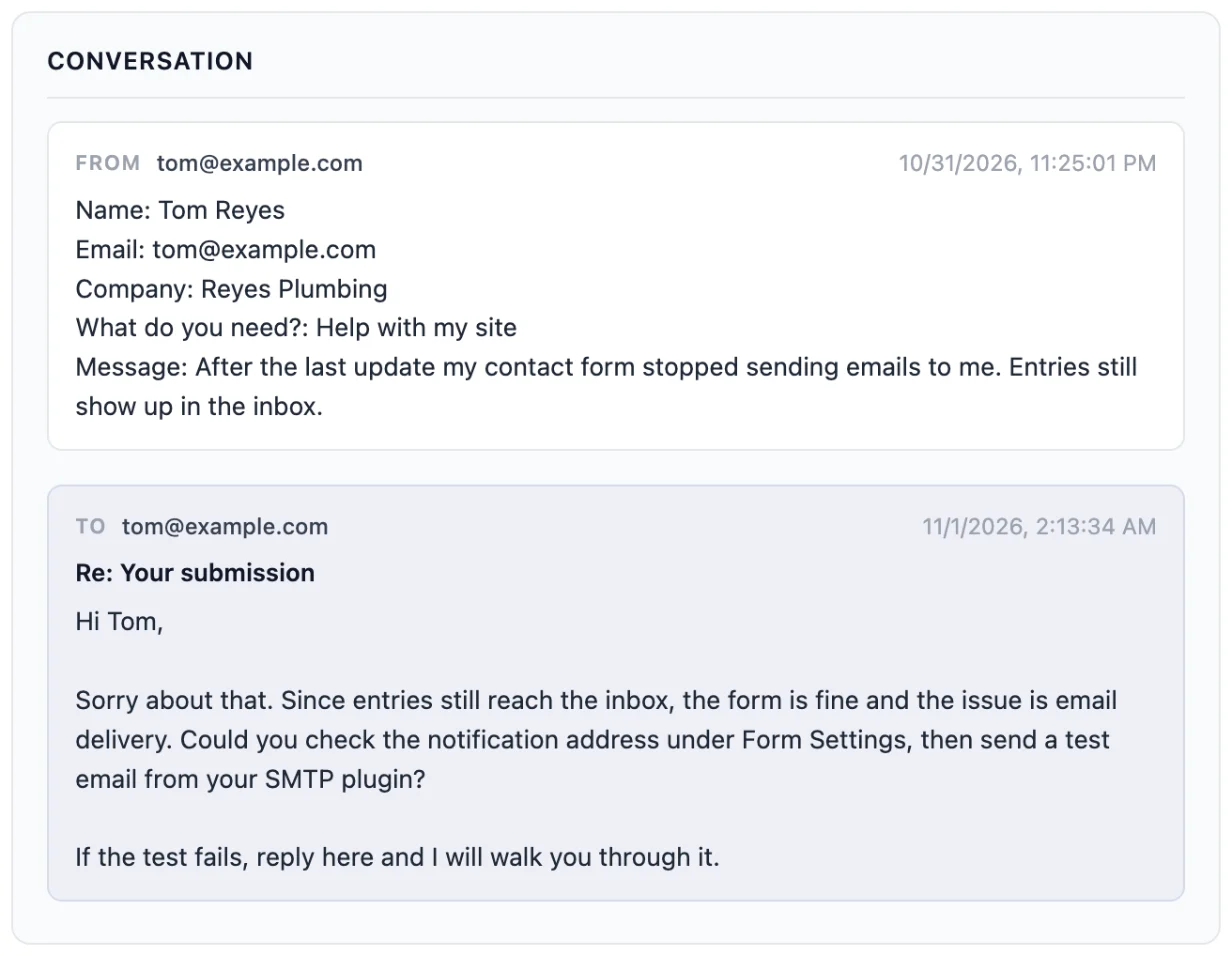
Open an entry a week later and the whole exchange is there, from the first message to your last reply.
- The entry keeps the original submission and every reply sent from the inbox
- Entries you have answered show as Replied in the list
- A reply that fails to send can be retried from the entry
- Unused AI drafts are deleted after 30 days; sent replies stay in the thread
Your call
What stays in your hands
The AI writes. You decide what goes out and when.
- Neural Forms does not send AI drafts on its own. A reply goes out when you press Send
- When the person answers, their email is not pulled back into the entry. Carry on the conversation from your mailbox
- The optional auto-reply email is a fixed message you write once in Settings, not an AI draft
Plans
Lite vs Starter and Agency
Every plan can reply from the entry. The paid plans add a draft for every analyzed entry and the tools to rework it.
| Lite (free) | Starter and Agency | |
|---|---|---|
| Draft reply | Generate the first draft for an entry once, by hand | With the AI analysis of every new entry |
| Regenerate reply | No | Yes |
| Refine with AI | No | Yes |
| Homepage text as background | No | Yes, refreshed once a month |
| Send from the entry, thread, retry | Yes | Yes |
| AI credits | 100 lifetime credits | 7,500 a year (Starter) or 25,000 a year (Agency) |
| Price | Free | Starter $99/year, Agency $199/year, unlimited sites |
Credits
Drafts run on AI credits
Drafts, regenerated replies and refinements use AI credits from your plan, and only when the AI call succeeds. More on how Neural Forms AI works.
- Starter includes 7,500 AI credits a year and Agency 25,000; plan credits reset at renewal
- Top-ups on paid plans: $19 for 2,000 credits or $49 for 10,000, and top-up credits never expire
- Lite includes 100 lifetime credits
- 1 credit = 1,000 tokens of AI processing
FAQs
Frequently asked questions about AI reply drafts
Can AI reply to contact form submissions automatically?
Neural Forms writes the draft automatically on Starter and Agency, but it does not send it. A reply goes out when you press Send in the entry, so a person reads every answer first. For a fixed confirmation on every submission, use the auto-reply email in Settings.
Where does the AI get the information for a reply?
From the entry itself, from your site’s homepage text, which Starter and Agency send to the Neural Forms cloud once a month, and from the patterns in replies you sent before.
Can I edit the draft before it is sent?
Yes. The draft sits in the reply box as plain text. Change any word, and the subject too, then press Send.
What does Refine with AI do?
Refine with AI takes the reply in the box, for example one you wrote yourself, and puts a tidied version in its place. You can still edit it before you send. It is on Starter and Agency.
Will the person’s answer come back into WordPress?
No. The entry keeps the original submission and every reply you sent, but answers from the person are not pulled back in. Continue the conversation from your email.
Does reply drafting work on the free plan?
Lite can generate the first draft for an entry once, by hand, with a free Neural Forms Cloud account and 100 lifetime credits. Regenerate reply, Refine with AI and drafts with every automatic analysis need Starter ($99/year) or Agency ($199/year).
Neural Forms
Answer faster without sending something you did not read
Starter ($99/year) and Agency ($199/year) draft a reply with every automatic analysis and add Regenerate reply and Refine with AI. Both plans cover unlimited sites. Want to sort leads too? See AI lead scoring.
30-day money-back guarantee on paid plans