
reCAPTCHA & Turnstile
Add CAPTCHA to your forms in WordPress
A CAPTCHA for WordPress forms that adds a check that separates people from bots before a submission goes through. Neural Forms offers CAPTCHA protection on your forms, and pairs it with AI that scores every submission, so you get two layers instead of relying on one. It suits any site getting automated spam through its forms.
How It Works
Two layers: CAPTCHA up front, AI behind it
Four capabilities that block bots and catch what slips through.
CAPTCHA protection
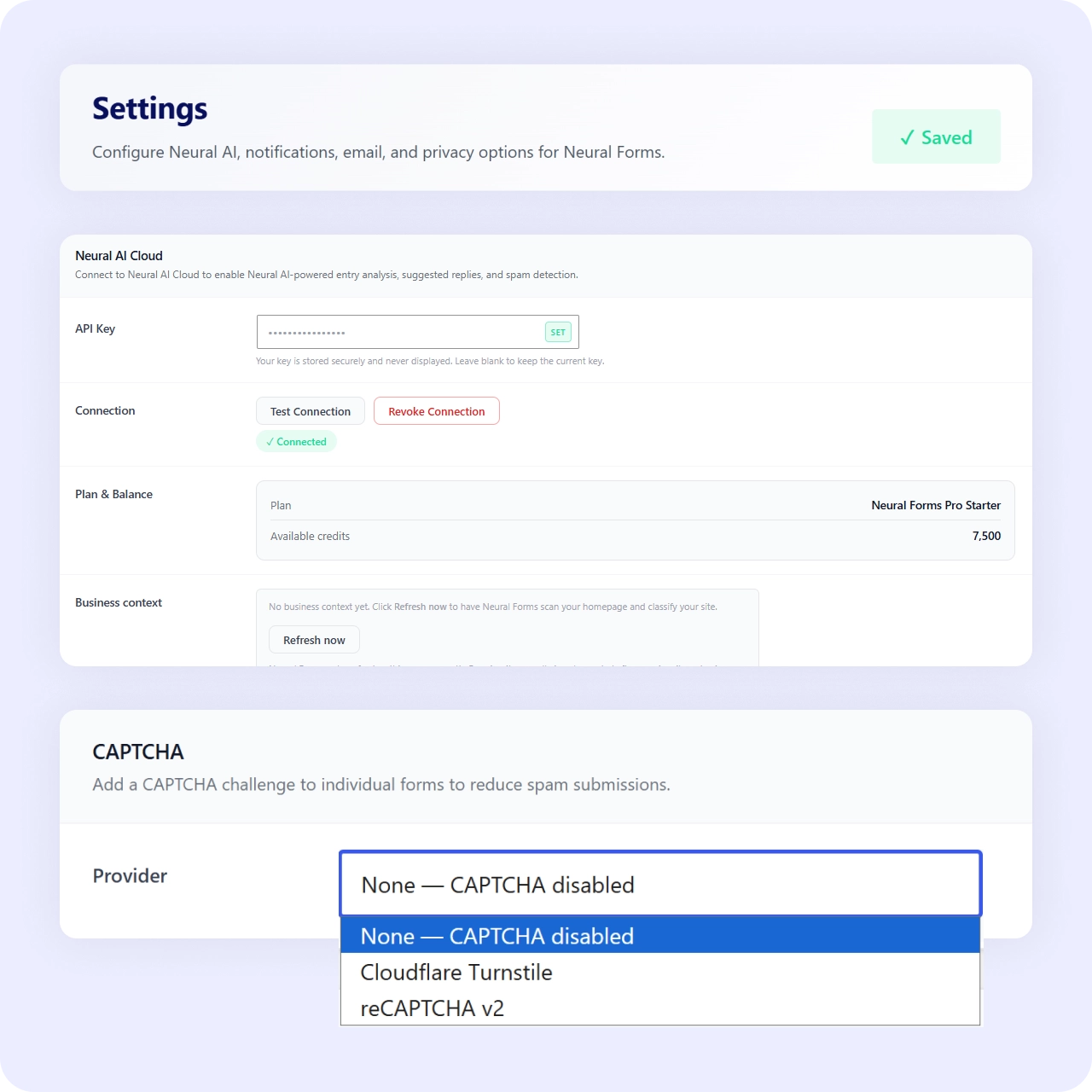
CAPTCHA protection available on your forms as a bot check. Blocks automated submissions before they reach your inbox.
AI spam scoring
Every submission is scored by AI, with an adjustable threshold between 60 and 100. The second layer that catches what CAPTCHA misses.
Suggest or auto-move
Choose whether flagged entries are suggested for review or moved to spam automatically. You control how aggressive the filter gets.
Spam status in the inbox
Spam status in the inbox to review, restore, or bulk-delete. Nothing is lost unless you decide to remove it.
Why It Matters
CAPTCHA plus AI catches more, frustrates less
A CAPTCHA stops many bots at the door, but sophisticated spam still slips through, and strict CAPTCHAs frustrate real visitors. Adding AI scoring behind the CAPTCHA gives you a second layer that judges the submission itself, so you catch more spam without turning every visitor into a puzzle-solver.
Use Cases
Every form benefits from bot protection
CAPTCHA and AI spam scoring apply across all form types.
Related Features
CAPTCHA works alongside these features
Bot protection pairs with spam filtering, contact forms, and data handling.
Spam protection
The full AI spam scoring system: CAPTCHA is the first layer, AI scoring is the second.
Contact form
Contact forms attract the most bot spam. CAPTCHA keeps your inbox clean from day one.
GDPR-friendly forms
Fewer bot submissions means fewer unwanted records to manage under data regulations.
FAQs
Frequently asked questions
Yes. CAPTCHA protection is available on your forms.
They work together. CAPTCHA blocks many bots up front, and AI scores the submissions that get through.
Yes. Set the AI threshold between 60 and 100 and choose suggest or auto-move.
Neural Forms
Block bots and keep real leads flowing
Download Neural Forms Lite free with CAPTCHA protection, AI spam scoring, and the built-in inbox. Upgrade for advanced AI features and more.
30-Day Money Back Guarantee. No Questions Asked!