
Form Analytics
Analytics for your forms in WordPress without leaving dashboard
Total entries, new submissions, conversion stats, drop-off points, and per-entry AI scoring all inside WordPress.
How It Works
Numbers, quality, and actionable insights
Six analytics capabilities that go beyond simple submission counts.
At-a-glance stats
See total entries, new submissions, forms count, and AI processing status on your dashboard without opening a separate tool.
Submission and conversion stats
Track how many visitors start your form and how many complete it. Conversion statistics show where your forms are performing well.
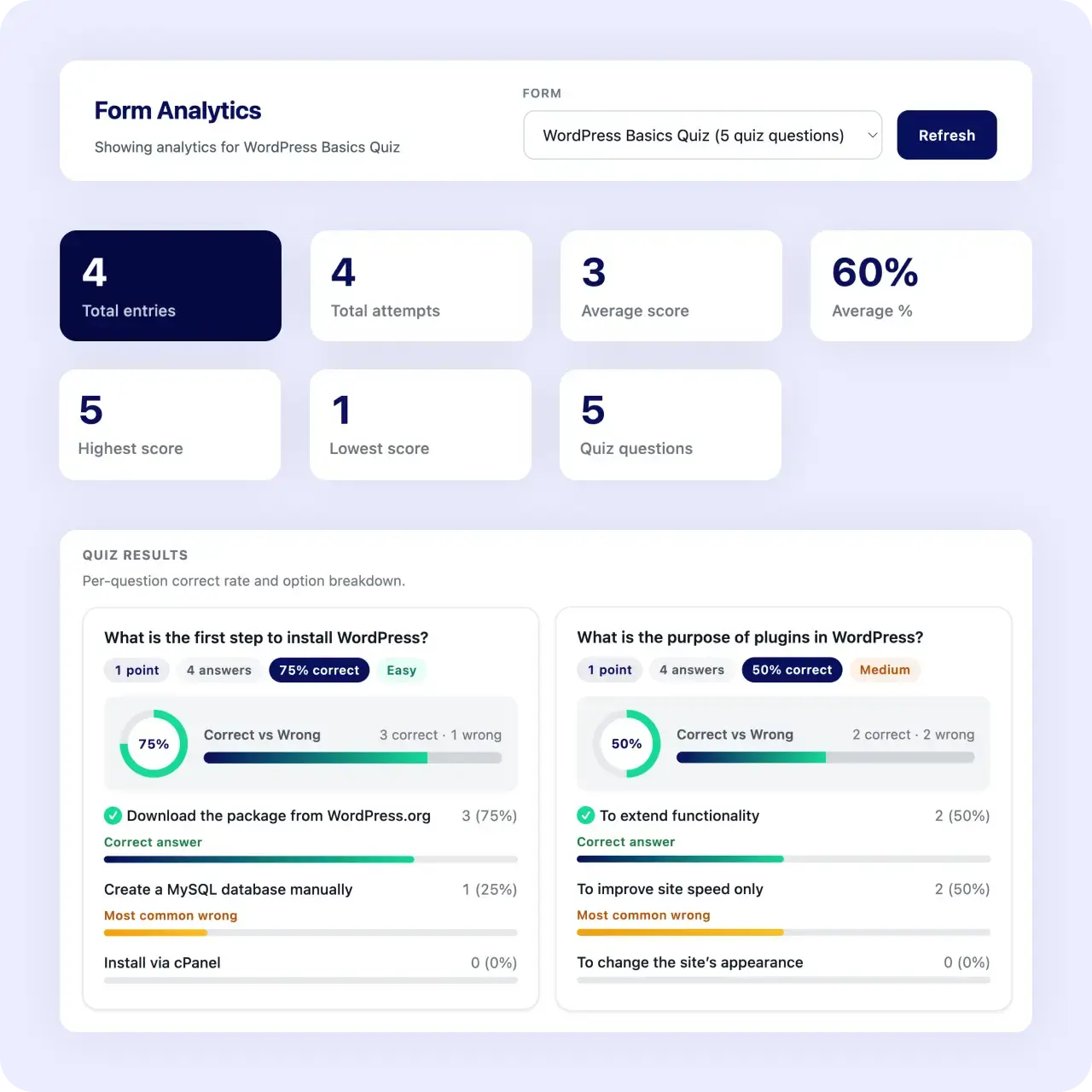
Quiz and poll results
Interactive forms get their own results tracking. See answer breakdowns, scores, and participation rates for quizzes and polls.
Drop-off point identification
See where visitors abandon multi-step forms. Know which step to shorten or simplify to recover lost completions.
Per-entry AI scoring
Every entry carries an AI priority score, so you can gauge lead quality, not just volume. More submissions only matter if they are good ones.
Export to CSV
Export the underlying entries to CSV with date range and status filters for deeper analysis in a spreadsheet or BI tool.
Why It Matters
Turn numbers into decisions
Counts alone do not tell you where to improve. Seeing drop-off points on a multi-step form tells you which step to shorten, and per-entry AI scores tell you whether more submissions actually mean more good leads. That turns analytics into a decision instead of a number.
Use Cases
Analytics for every form type
Track performance across all your form scenarios.
Related Features
Analytics pairs with these features
Data is more useful alongside the inbox, AI, and export tools.
Lead management inbox
Analytics shows the numbers — the inbox is where you act on them.
AI-powered forms
AI priority scores feed directly into analytics — measure quality alongside volume.
CSV export
Export raw data for deeper analysis in spreadsheets or BI tools.
FAQs
Frequently asked questions
Total entries, new submissions, forms count, AI processing status, submission and conversion statistics, quiz and poll results, and drop-off points.
Yes. Drop-off point identification shows where people leave a multi-step form.
Yes. Every entry carries an AI priority score, so you can weigh quality against volume.
Yes. Export entries to CSV with date range and status filters.
Neural Forms
See how your forms are really performing
Download Neural Forms Lite free with built-in analytics, AI scoring, and CSV export. Upgrade for advanced AI features and more.
30-Day Money Back Guarantee. No Questions Asked!