
Email Notifications
Email notifications for your forms in WordPress
Real-time admin alerts and a custom autoresponder for the visitor — plus a central inbox that keeps the full record even if an email gets lost.
How It Works
Instant alerts, automatic replies, permanent records
Four ways email notifications keep your team and your visitors in the loop.
Admin notifications
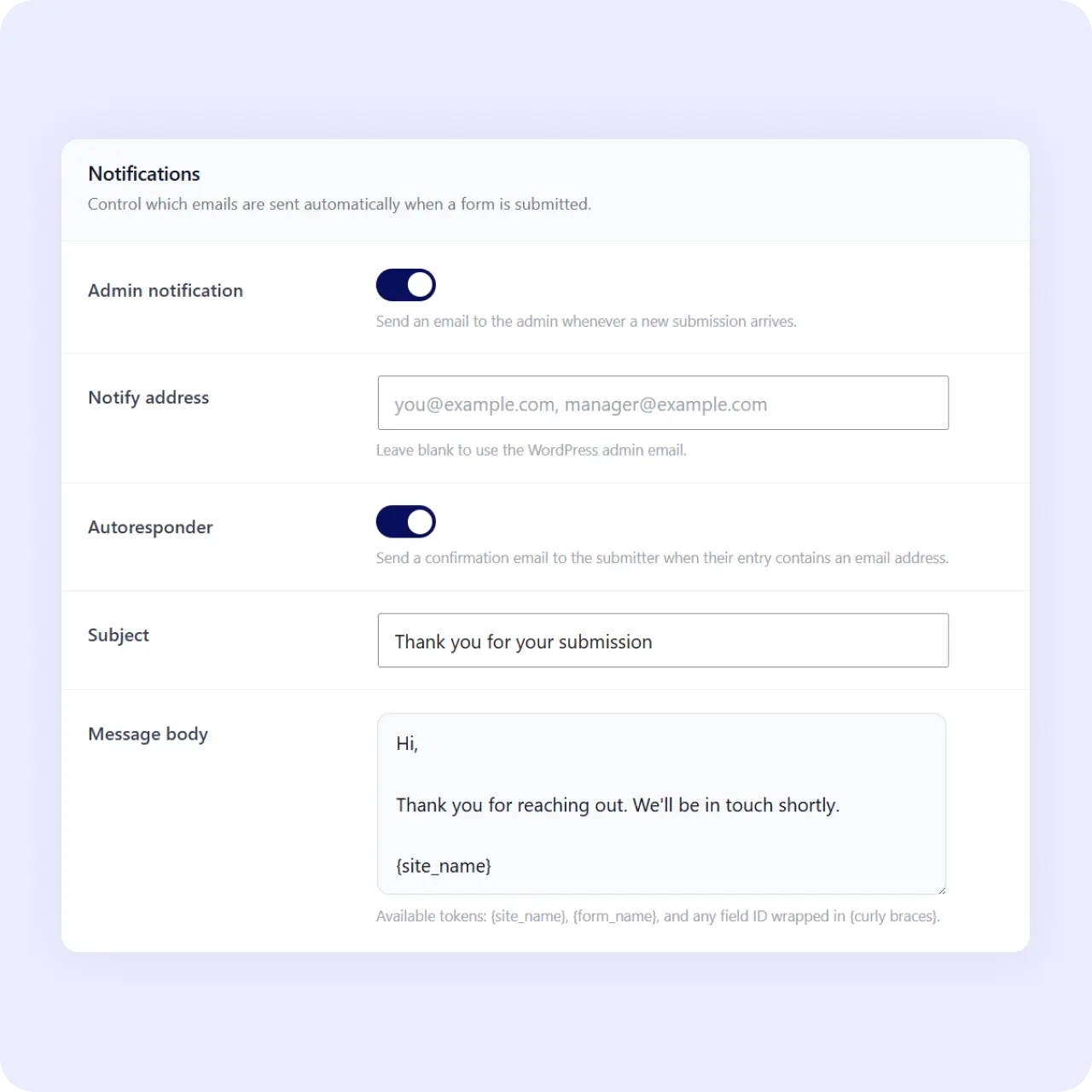
Notification emails fire in real time when a form is submitted. Your team knows about every new lead, application, or enquiry the moment it arrives.
Visitor autoresponder
The visitor receives your custom confirmation message after submitting. They know it went through without needing to guess.
Central inbox backup
Every submission also lands in the built-in inbox, so notifications are a copy, not the only record. Nothing gets lost if an email bounces.
Reply with full history
Answer from the inbox with full thread history instead of digging through your mailbox. Every reply is logged alongside the original submission.
Why It Matters
Notifications plus a shared record
Email alone loses submissions in a crowded inbox and gives no shared record. With Neural Forms, the notification tells you something arrived, and the built-in inbox keeps the full submission, its AI priority score, and every reply in one place your team can work from.
Use Cases
Email alerts for every form type
Real-time notifications work across all form scenarios.
Related Features
Notifications work alongside these features
Email alerts pair with the inbox, spam protection, and messaging integrations.
Lead management inbox
The inbox stores every submission permanently. Email notifications are a real-time alert on top.
Contact form
The most common notification use case is to be notified of every enquiry the moment it arrives.
WhatsApp notifications
Prefer messaging over email? Get submission alerts on WhatsApp alongside email notifications.
FAQs
Frequently asked questions
Yes. Admin notification emails fire in real time, and an autoresponder confirms receipt to the visitor.
Yes. Email notifications are included in the free Lite plan.
Yes. The visitor receives your custom message after submitting the form.
Yes. Every submission is stored in the built-in inbox regardless of email delivery.
Neural Forms
Never miss a form submission again
Download Neural Forms Lite free with real-time email notifications, autoresponders, and the built-in inbox. Upgrade for AI features and more.
30-Day Money Back Guarantee. No Questions Asked!