
Repeater Field
Collect dynamic, repeatable data groups
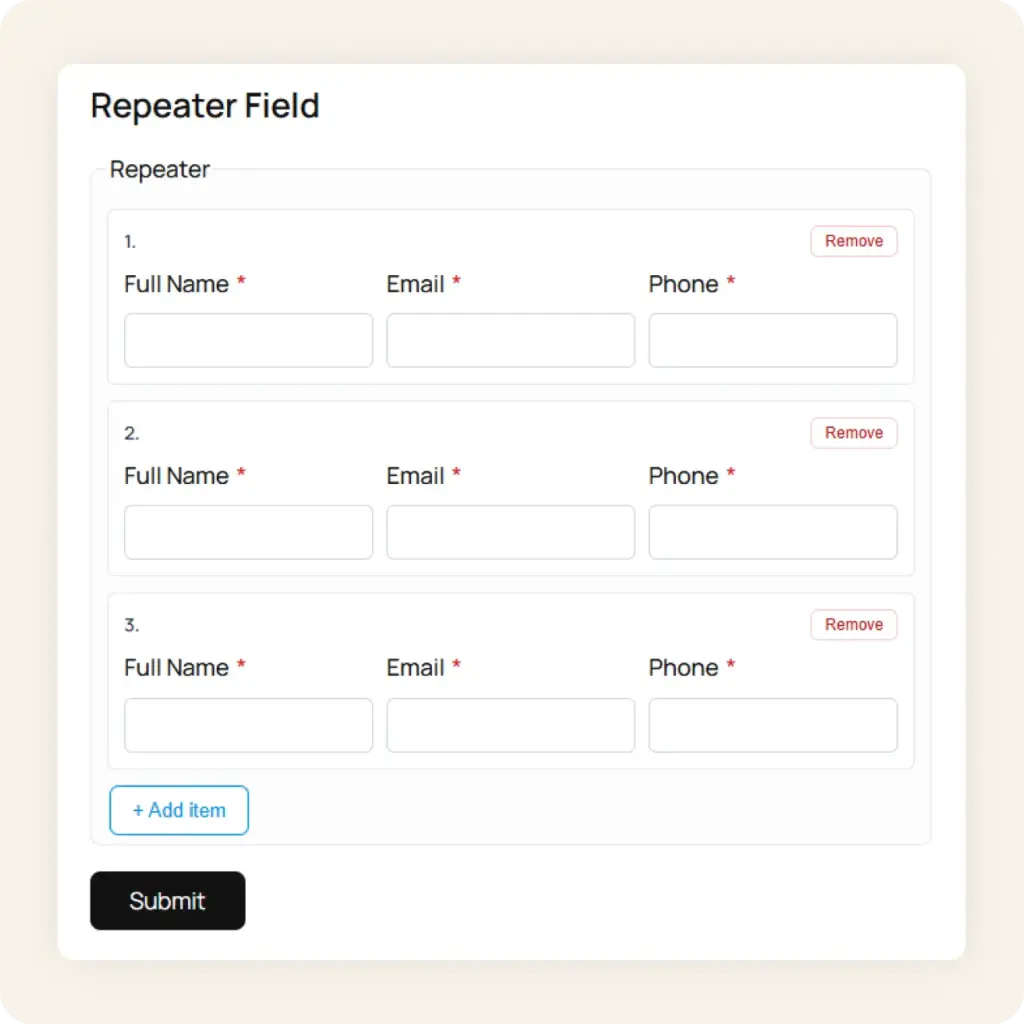
Let users add multiple entries of the same field group (work experience, education, order items, team members) directly inside your form. Available in Starter and Agency plans.
Use Cases
Built for forms that need flexible, repeating entries
Static forms force users into fixed fields. The Repeater field lets users add as many entries as they need, dynamically and without page reloads.
Job applications
Let applicants add multiple work experiences, certifications, or references. Each entry includes fields for company name, role, dates, and description. Add or remove rows on the fly.
Team and contact lists
Collect multiple team members, emergency contacts, or attendees in a single form. Each repeater row captures name, email, phone, and role. Users add as many as they need.
Order and invoice forms
Build order forms where customers add multiple line items: product name, quantity, size, and notes. Each row is a complete entry, and users can add or remove items before submitting.
How it works
Add repeatable field groups in minutes
Three steps to let users submit dynamic, repeating data in any form.
1
Drop in the Repeater block
Drag the Repeater field block into your form. Add child fields inside it: text, email, number, select, or any supported field type. Each child becomes a column in every repeating row.
2
Configure limits & labels
Set minimum and maximum rows, customize the “Add Row” and “Remove” button labels, and configure the default number of visible rows, all from the Gutenberg block sidebar.
3
Publish and collect
Embed your form with the Neural Forms block, shortcode, or Divi 5 module. Users click “Add Row” to create new entries on the frontend. All repeater data is stored as structured JSON in each submission.
Repeater Builder
Everything you need to build repeater fields
Add and remove rows
Users click “Add Row” to create new entries and “Remove” to delete them. Fully dynamic, no page reload needed. Set min and max row limits from the block sidebar.
Multiple field types per row
Each repeater row can contain text, email, number, select, textarea, and more. Mix and match field types to build complex repeating data groups, like mini-forms inside your form.
Per-row validation
Every field inside the repeater respects its own validation rules: required, email format, min and max length. Invalid rows are highlighted individually, so users fix exactly what is wrong.
Structured JSON storage
All repeater data is stored as structured JSON in each submission. Readable in the admin panel, exportable to CSV, or processable via webhooks and integrations.
Works with multi-step
Place repeater fields inside any step of a multi-step form. Repeater rows are validated per step before users can move forward, working alongside the Step block.
Custom button labels
Rename “Add Row” and “Remove” buttons to anything: “Add Experience”, “Add Item”, “Add Member”. Match your form’s language and context.
Security
Secure repeater forms built for privacy
Multiple layers of protection to keep every repeater submission authentic and your respondents’ data safe.
Cloudflare Turnstile
Privacy-friendly invisible CAPTCHA that validates real visitors without challenges or puzzles.
reCAPTCHA v2
Google’s “I’m not a robot” checkbox. Spam protection used by millions of sites.
Neural AI spam detection
Neural AI analyzes form submissions for spam patterns. Adjustable threshold (60 to 100) with suggest or auto-move modes.
Privacy mode
Skip IP and user-agent storage entirely. GDPR-friendly by design, enable with a single toggle.
Email notifications
Get admin notifications for every repeater form submission in real time. Auto-send confirmation emails to respondents.
Dashboard analytics
At-a-glance stats: total submissions, completion rates, AI processing status, and per-form breakdowns inside WordPress.
Neural Forms
Ready to use repeater fields in your forms?
Repeater fields are available in Neural Forms Starter ($99/year) and Agency ($199/year). Both plans include all Pro features: AI form generation, AI spam detection, the Divi 5 module, all 5 native integrations, and an annual AI credit allocation. Download the free Lite version on WordPress.org to try the form builder and lead inbox, then upgrade when you need the Repeater field.
30-Day Money Back Guarantee. No Questions Asked!