
Contact Form 7 Migration
Switch from Contact Form 7 in one click
Neural Forms automatically detects your CF7 forms, maps every field, preserves your structure, and imports everything, all without a single line of code or any downtime. Your visitors won’t even notice the switch.
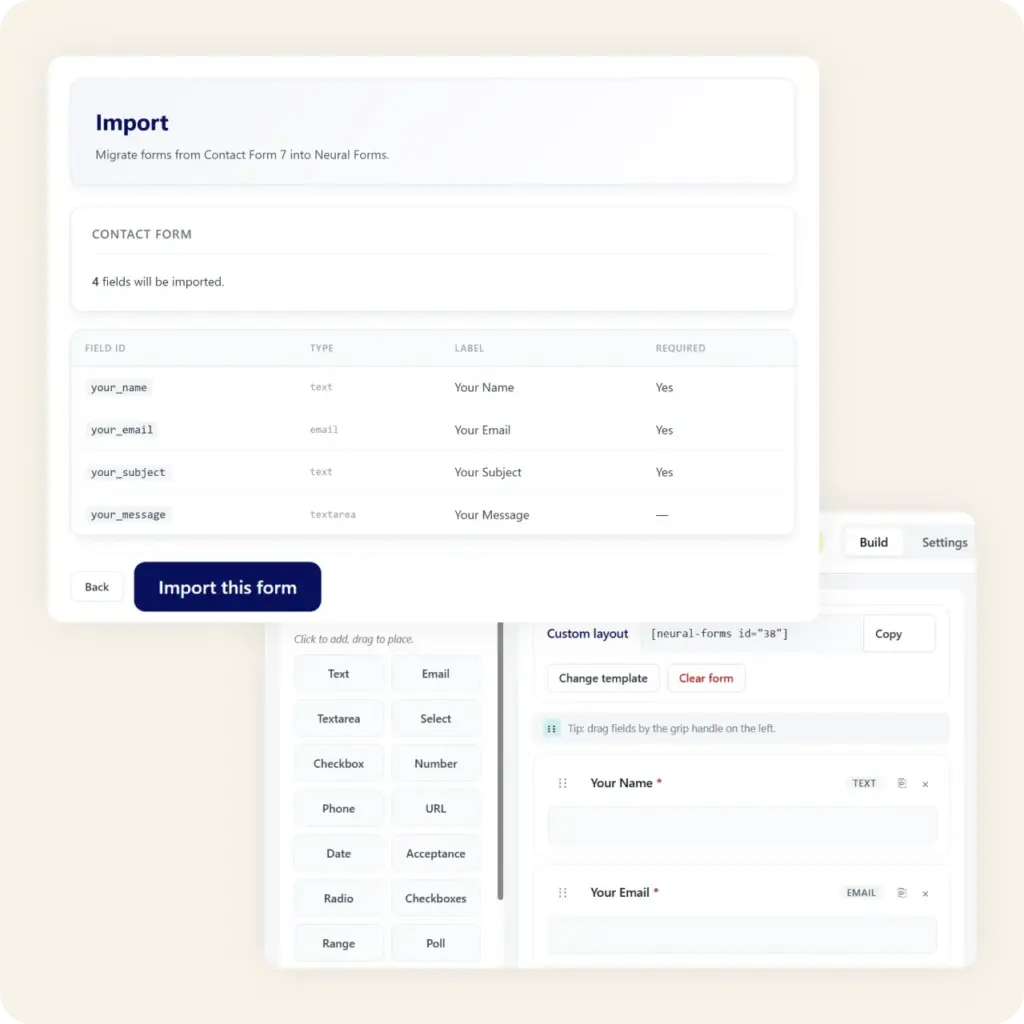
Migration Features
Everything gets imported nothing gets left behind
A smart migration engine that understands CF7 form tags and rebuilds them as native Neural Forms fields.
One-Click Import
Select any Contact Form 7 form from the import screen and click “Migrate.” Neural Forms does the rest. No manual field mapping needed.
Smart Field Mapping
Text fields, email inputs, textareas, dropdowns, checkboxes, radio buttons, file uploads — every CF7 field type maps to a Neural Forms equivalent automatically.
Validation Preserved
Required fields, email validation, character limits, and custom patterns are detected from your CF7 markup and applied to the new form.
Email Notifications Carried Over
Your CF7 email templates — recipients, subject lines, body content, and mail tags — are converted to Neural Forms notification settings.
Zero Downtime
The migration creates new Neural Forms alongside your CF7 forms. Switch over at your own pace — both work simultaneously until you’re ready.
Instant AI Upgrade
Once migrated, your forms immediately gain Neural AI capabilities — smart spam detection, submission analysis, auto-draft replies, and more.
How it works
Migrate in three simple steps
1
Scan your CF7 forms
Go to Neural Forms → Import. The plugin automatically detects all Contact Form 7 forms on your site and lists them with field counts.
2
Select and import
Pick the forms you want to migrate or select all. Click “Import” and Neural Forms maps every field, label, placeholder, and validation rule.
3
Review and go live
Open the imported forms in the visual builder to review. Replace the old CF7 shortcode with the Neural Forms block or shortcode, and you’re live.
Neural Forms
Ready to leave Contact Form 7 behind?
Download Neural Forms Lite for free and migrate your Contact Form 7 forms in minutes. Upgrade to Pro for Neural AI, Divi 5 integration, and premium features.
30-Day Money Back Guarantee. No Questions Asked!